
AI in smartphone photography is defined as the real-time computational process that merges sensor data, deep learning, and image signal processing to produce photos that far exceed what the hardware alone can achieve. Understanding how AI improves smartphone photos means recognizing that the technology works before, during, and after you press the shutter. The AI image enhancement market reached $2.83 billion in 2026, growing at 15.7% year over year. That figure reflects how central AI has become to the entire smartphone photography experience, from low-light capture to post-processing edits you can make in seconds.
What are the key AI technologies that improve photo quality in smartphones?
AI works at the sensor data level, merging frames and applying deep learning to create photos that compete with professional cameras. This is not a filter applied on top of a finished image. The processing happens at the raw data stage, before you even see a preview.
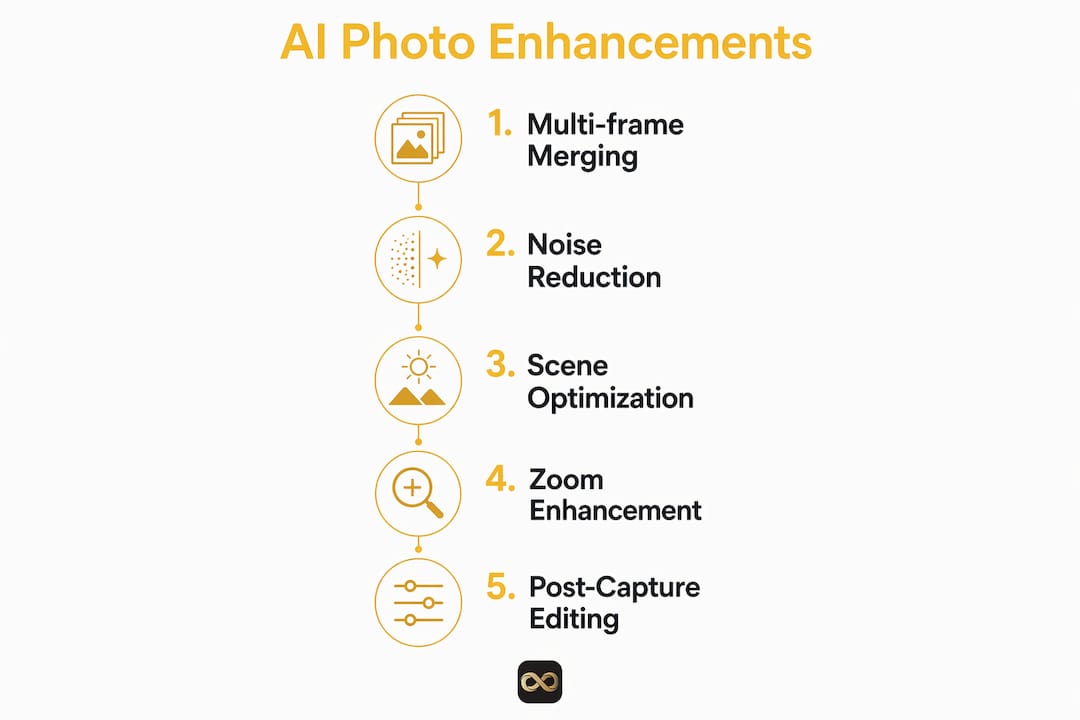
The core technologies behind better smartphone photos include:
- Multi-frame merging. Your phone captures several frames in rapid succession and combines the sharpest parts of each. The result is a cleaner, more detailed image with a wider dynamic range than any single frame could deliver.
- Neural restoration. AI models trained on specific camera sensor characteristics recover fine detail that standard image signal processors miss. This is especially valuable on phones with physically small sensors.
- Scene recognition and semantic segmentation. The AI identifies what is in the frame, whether that is a face, a plate of food, or a mountain range, and adjusts exposure, color temperature, and sharpness settings for that specific subject.
- AI-driven noise reduction and sharpening. Algorithms distinguish between random noise and genuine texture. They remove the noise while preserving the detail, which is the opposite of what traditional blurring-based noise reduction does.
High megapixel counts primarily serve as dense raw data for AI reconstruction. Without AI processing, increasing megapixels on a small sensor often produces worse images because noise multiplies faster than detail. AI is what makes those extra pixels useful.
Pro Tip: When shooting portraits, let your phone's scene recognition do the work. Avoid manually locking exposure before the AI has a chance to identify the subject. You will get noticeably better skin tones and background separation.

How does AI improve low-light and zoom photography on smartphones?
Low-light and zoom photography are the two areas where smartphone hardware is most limited by physics. Tiny sensors cannot gather as much light as a full-frame camera lens. AI closes that gap in ways that were not possible three years ago.
Here is how the process works for low-light shots:
- Multiple short exposures are captured. Instead of one long exposure that creates motion blur, the phone takes several fast shots in quick succession.
- AI aligns and stacks the frames. The algorithm identifies which pixels represent genuine detail and which represent noise, then combines the clean data across all frames.
- The final image is reconstructed. Night Mode photos are composites of these short exposures, with motion blur reduced and texture enhanced. You can hold the phone in your hand and still get a sharp result.
Zoom photography benefits from a different but equally impressive process. Neural restoration AI improves image resolution by over 50% in zoom scenarios by modeling the specific aberrations of each camera sensor rather than applying generic processing. That distinction matters because a generic sharpening filter guesses at what detail should look like. A sensor-specific neural model knows exactly what the lens distorts and corrects for it precisely.
Hardware improvements amplify these AI gains. Wider apertures like f/1.4 combined with AI signal processors capture 47% more light, which gives the AI more raw data to work with. More data means better noise reduction and sharper final images, especially in dim indoor environments or at dusk.
The practical takeaway for you is straightforward. Shooting in low light or at a distance no longer requires a dedicated camera. Your phone's AI is doing the optical heavy lifting in real time.
What AI-powered editing tools help you enhance photos after capture?
Post-capture AI editing has moved well beyond basic brightness sliders. The tools available in 2026 let you make changes that previously required desktop software and hours of practice.
The most useful AI editing capabilities include:
- Natural language object removal. Samsung's Photo Assist AI lets you describe what you want removed or corrected in plain text, and the app executes the edit. You type "remove the trash can in the background" and the AI fills in the space convincingly.
- Automatic brightness, color, and contrast adjustment. AI analyzes the histogram and color profile of your photo and applies corrections calibrated to the specific scene type. A food photo gets different treatment than a landscape.
- AI remastering for older or low-quality images. Neural upscaling reconstructs detail in photos taken years ago on lower-quality hardware. This is particularly useful for Airbnb hosts who want to refresh listing photos from a previous season without reshooting everything.
- Sky replacement and background editing. AI segments the sky from the rest of the image and replaces it with a more appealing version, a feature that real estate photo editing services use routinely to make listings look their best.
Pro Tip: Before using AI remastering on an old photo, make a copy of the original. AI reconstruction makes educated guesses about missing detail. The result is usually excellent, but you want the original preserved if the AI interprets a texture incorrectly.
AI camera systems act as smart creative assistants, reducing post-production time by handling complex edits through simple commands. That shift from manual editing to AI-guided correction is what makes smartphone photography accessible to people who have no interest in learning Lightroom or Photoshop.
How does AI scene recognition personalize your photography experience?
AI scene recognition is the feature that makes your phone feel like it understands what you are photographing. AI accurately identifies varied contexts like food, people, or landscapes and dynamically adjusts camera settings to automate professional photo techniques. The result is that you get a well-exposed, correctly colored photo without touching a single manual setting.
Semantic segmentation takes this further by treating different parts of the frame as separate zones. The AI identifies the subject, the background, and the midground independently. It can sharpen the subject while softening the background, or brighten a face while keeping the sky from blowing out.
Here is a breakdown of how scene recognition adapts settings across common subjects:
| Scene type | What AI adjusts | Visible result |
|---|---|---|
| Portrait | Skin tone, background blur, eye sharpening | Natural skin color, clear subject separation |
| Food | Saturation, warmth, macro sharpness | Vivid colors, crisp texture |
| Landscape | Dynamic range, sky exposure, horizon sharpness | Balanced sky and ground detail |
| Low-light indoor | ISO, multi-frame stacking, noise reduction | Bright, clean image without grain |
| Architecture | Perspective correction, edge sharpness | Straight lines, clear structural detail |
Computational photography uses deep learning for real-time depth estimation, enabling natural background blur and realistic portrait effects on smartphones. That depth data also feeds into scene recognition, helping the AI distinguish a person standing close to the camera from a building in the distance.
The personalization aspect is growing as well. Newer AI systems remember your editing preferences and apply them automatically. If you consistently increase warmth and reduce highlights in your photos, the AI learns that pattern and starts applying it during capture. Your phone gradually adapts to your creative style without you having to set anything manually.
Key Takeaways
AI improves smartphone photos by processing raw sensor data with deep learning techniques that enhance detail, reduce noise, and adapt settings to each scene automatically.
| Point | Details |
|---|---|
| Multi-frame merging | AI stacks multiple exposures to reduce blur and increase dynamic range beyond single-shot limits. |
| Neural restoration for zoom | Sensor-specific AI models improve zoom resolution by over 50% compared to generic processing. |
| Low-light composite capture | Night Mode combines short exposures to eliminate motion blur while preserving genuine texture. |
| Scene recognition adapts settings | AI identifies subjects and adjusts exposure, color, and sharpness automatically for each scene type. |
| Post-capture AI editing | Tools like natural language object removal and AI remastering simplify complex edits for any skill level. |
AI photography is changing faster than most people realize
I have followed smartphone camera development for years, and the pace of change in 2025 and 2026 has been genuinely surprising. The gap between a casual smartphone shooter and a professional photographer has narrowed faster than anyone predicted. That is almost entirely because of AI.
What I find most interesting is that the best AI photography systems are not the ones that do the most. They are the ones that know when to stay out of the way. Over-sharpening, over-saturating, and aggressive skin smoothing are real problems with poorly tuned AI. The phones that get it right apply corrections that look like better photography, not like a filter.
My honest advice is to pay attention to your phone's AI settings and learn what each one does. Most photographers I know leave everything on auto and then wonder why their photos look slightly artificial. Turning off aggressive beauty modes for portraits, for example, produces far more natural results. AI works best when you give it accurate inputs and reasonable constraints.
The next wave of improvement will come from AI paired with better sensor hardware, not from software alone. Phones with larger sensors and wider apertures give the AI more raw data to work with, and that combination produces results that are genuinely hard to distinguish from dedicated camera output. If you shoot properties, products, or social content regularly, investing in a current flagship phone gives you access to AI photography tools that would have cost thousands of dollars in dedicated equipment five years ago.
— Richard Lopez
Proofe puts AI photo enhancement in your hands
Real estate agents, property managers, and Airbnb hosts all face the same challenge. Photos taken on a phone often look flat, dark, or unpolished compared to what a professional photographer delivers. Proofe solves that directly.

Proofe's AI photo enhancer corrects lighting, sharpness, and color on listing photos taken with any smartphone. The process is three steps: shoot, enhance, and download. You get MLS-ready files the same day, and your first five photos are free. Airbnb hosts can use Proofe to refresh listing images between seasons, keeping photos current without scheduling a photographer. For agents who need consistent, professional-quality photos across multiple listings, Proofe's real estate photo app makes that possible from your phone. No equipment. No expertise required.
FAQ
What does AI actually do to improve a smartphone photo?
AI processes raw sensor data by merging multiple frames, reducing noise, and applying scene-specific adjustments to sharpness, color, and exposure. The result is a cleaner, more detailed image than the hardware could produce on its own.
Does Night Mode use AI?
Night Mode photos are composites of multiple short exposures, with AI distinguishing genuine detail from noise and combining the best data from each frame. This allows handheld low-light shots without motion blur.
How does AI improve zoom photos on a smartphone?
Neural restoration models trained on specific camera sensors improve zoom resolution by over 50% by correcting lens-specific distortions rather than applying generic sharpening.
Can AI editing tools replace manual photo editing software?
AI editing tools handle most common corrections, including object removal, color adjustment, and noise reduction, faster and with less skill required than traditional desktop software. For complex professional retouching, dedicated software still offers more control.
Is the AI image enhancement market growing?
The AI image enhancement market is projected to reach $5.03 billion by 2030, up from $2.83 billion in 2026. That growth reflects rapid adoption across smartphones, apps, and professional photography tools.