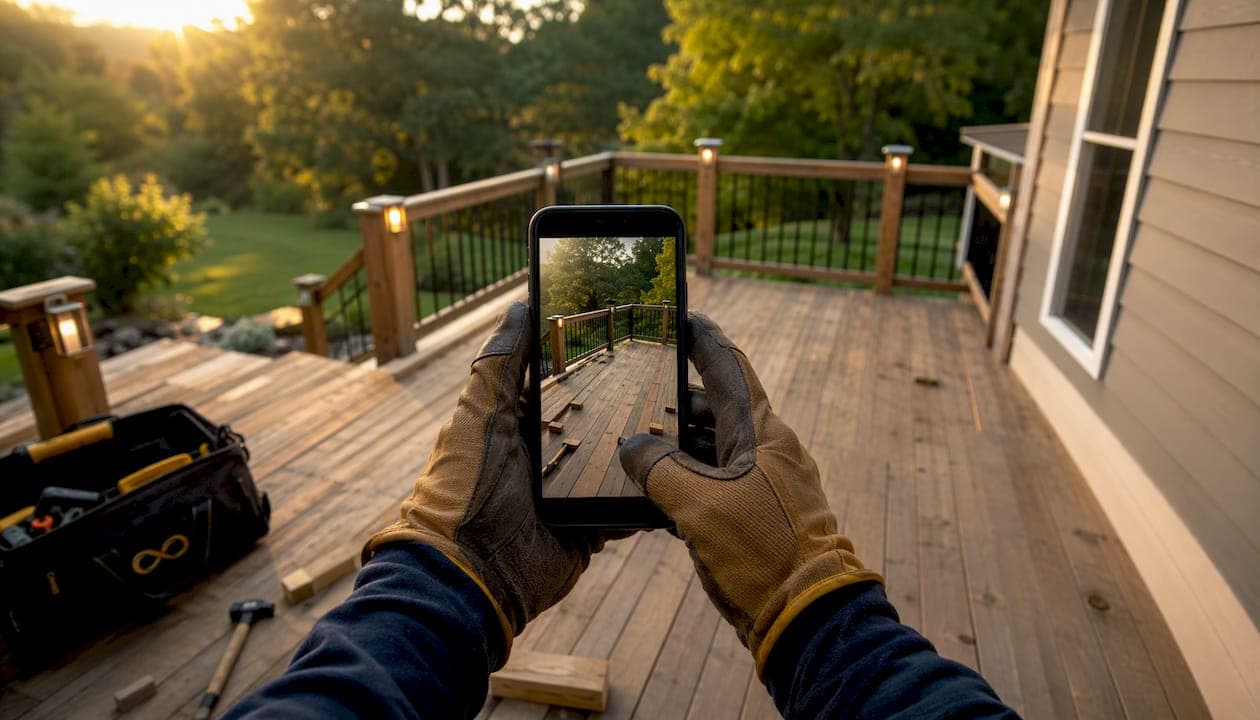
Yes, high-quality deck construction photos reliably generate qualified leads. They build homeowner trust, match the mood-board inspiration buyers bring to their search, and improve your visibility in local search results. The mechanism is direct: a homeowner sees your finished deck, imagines it in their backyard, and clicks to contact you.
Three primary ways photos produce leads:
- Trust and social proof. Real project photos prove capability in a way no written claim can match.
- Self-qualification. Homeowners who see their style, budget range, and material preferences reflected in your portfolio reach out already sold on the scope.
- SEO and ad performance. Fresh photos on your Google Business Profile and in your ad creative improve click-through rates and lower cost-per-lead.
Pro Tip: Capture a dusk-lit hero shot on every job. Deck lighting on, golden sky behind it — dusk shots are the single highest-converting image style in deck marketing, and you often have a 20-minute window to get it right.
Table of Contents
- Why homeowners respond to construction photos and turn into leads
- Which shots matter most for deck contractors
- A repeatable capture-to-publish workflow you can start this week
- Where to publish photos and how each channel drives inquiries
- How photos convert engagement into actual inquiries
- How to track whether your photos are actually producing leads
- How Proofe fits into your photo workflow and scales production
- Key Takeaways
- The photo workflow change that actually sticks
- Proofe makes the photo-to-lead workflow faster
- Useful sources and tools
Why homeowners respond to construction photos and turn into leads
Photos work because they do three things at once: they reduce perceived risk, let buyers self-qualify, and send engagement signals that local search and social platforms reward.

Homeowners shopping for a deck contractor are making a significant investment decision based largely on what they can see. A portfolio that shows multi-level builds, outdoor kitchens, and lighting features tells them you can handle complexity. One that shows only flat pressure-treated rectangles quietly caps your ticket size. Design-led buyers default to lower-ticket options until shown premium possibilities — your visual library is doing the upselling before you ever pick up the phone.
The algorithmic side matters just as much. Uploading a fresh hero photo to your Google Business Profile within one week of project completion, and maintaining a library of 15–25 photos per job, keeps your GBP recency score high and supports local map-pack ranking. A consistent weekly GBP photo refresh with varied project imagery can improve a business's local map-pack ranking within a few months when paired with other signals.
Buyer journey behaviors reinforce this. Homeowners save images to Pinterest boards, screenshot inspiration from Instagram, and arrive at your website already knowing what they want. If your gallery matches what they saved, the inquiry is nearly automatic.
Your photos must show these trust cues to convert:
- Materials clearly visible (composite, hardwood, aluminum rail)
- Multi-level or feature capability (stairs, built-in seating, fire features)
- Lighting quality (natural or dusk, no harsh shadows)
- Close-up workmanship (rail connections, decking pattern, post caps)
Which shots matter most for deck contractors
The short answer: hero dusk lifestyle, before/after pair, finished daylight hero, in-progress detail shots, material close-ups, and one team/brand shot. Capture them in that priority order.
-
Dusk hero lifestyle shot. Lights on, furniture staged, golden sky. This is your ad creative, your GBP cover photo, and your proposal opener. You get roughly 20 minutes of usable light, so plan for it before the crew leaves.
-
Before/after pair. Take the "before" shot on day one — it is a non-negotiable habit. Without it, the after shot loses most of its persuasive power. Use identical angle, distance, and framing for both; a simple overlay or framing template prevents mismatch. This pair is your highest-leverage asset across social, GBP, and proposals.
-
Finished daylight hero. Wide shot, clutter-free, furniture in place. Use this on your website project page and in email campaigns.
-
In-progress detail shots. Framing, ledger attachment, post footings. These build credibility with homeowners who research permits and structural soundness — a concern that comes up repeatedly in contractor searches.
-
Material close-ups. Decking surface, rail system, lighting fixtures. Tag these with material names and dimensions for local search metadata.
-
Team/brand shot. One photo of your crew at the finished job. It humanizes the business and performs well in Facebook ads targeting homeowners.
Where to use each shot:
- LSA and Google Ads: dusk hero or multi-level lifestyle
- GBP: rotate all types weekly, lead with dusk hero as cover
- Proposals: before/after pair plus 4–6 local project photos
- Facebook/Instagram ads: dusk hero and before/after (A/B test both)
- Website project pages: full set of 15–25 photos with captions
For a reference on what editorial project photos look like in practice, the Cactus Decking gallery shows effective shot selection and composition across a range of project types.
A repeatable capture-to-publish workflow you can start this week
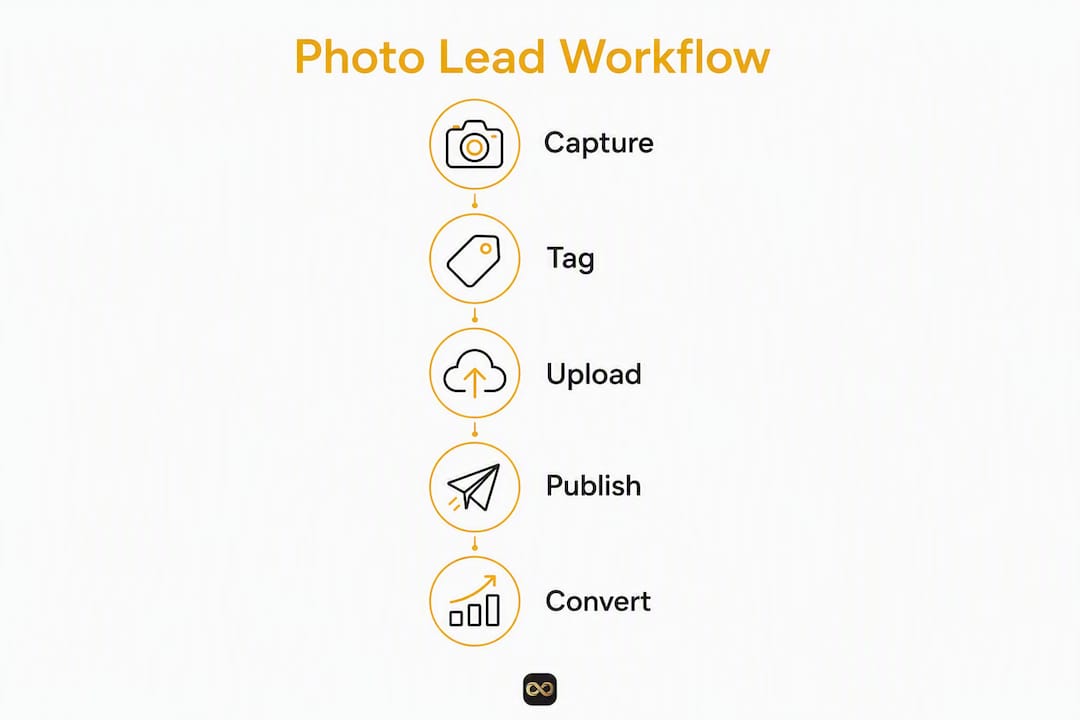
The goal is a 4-step workflow — capture, tag, upload, publish — built into job completion so photos happen automatically, not as an afterthought.

Step 1: Capture on install day. Shoot your minimum 15–25 photos before the crew leaves. Required shots: before/after pair (matched framing), dusk hero, finished daylight wide, two material close-ups, one in-progress detail, one team shot.
Step 2: Tag and organize that evening. Name files with project details (neighborhood, material, square footage). Upload to CompanyCam or a shared Google Drive folder organized by job. Consistent metadata makes photos searchable and reusable across channels.
Step 3: Upload hero to GBP within one week. Post the dusk hero or finished daylight wide to your Google Business Profile within seven days of completion. Add a caption with material, neighborhood, and a one-line CTA.
Step 4: Publish to all six surfaces within two weeks. Push the full set to your website project page, Facebook/Instagram, Pinterest, and your proposal template library. One capture session, six channels, near-zero marginal cost per additional use.
Operational enforcement tips:
- Add a "photos uploaded" checkbox to your job-completion step in ServiceTitan, Jobber, or JobNimbus. Final invoice does not go out until it is checked.
- Tie a small monthly bonus ($15–$50) to per-job capture compliance — shops that do this scale from dozens to hundreds of portfolio photos within months.
- Owner or project manager spot-checks one job per week to reinforce the standard.
Pro Tip: Require "photos uploaded" in your field service tool before final invoicing. It takes one workflow change to make photo capture as automatic as pulling a permit.
Where to publish photos and how each channel drives inquiries
Publish to six surfaces and reuse the same library. The marginal cost of each additional channel is effectively zero once the photos exist.
| Channel | What to post | Cadence | CTA / placement |
|---|---|---|---|
| Google Business Profile | Hero dusk, before/after, material close-ups | 1 new photo per week | Caption with neighborhood + "Free estimate: [phone]" |
| Website project pages | Full set (15–25 photos), captioned | Per job, within 2 weeks | "Request a quote" button below gallery |
| Facebook / Instagram | Dusk hero, before/after pair | 2–3 posts per week | "Get a free estimate" link in bio or post CTA |
| Lifestyle hero, material close-ups | Per job | Link to project page | |
| Local Service Ads | Multi-level or outdoor-kitchen hero | Refresh quarterly | Headline matches project type |
| Sales proposals / email | Before/after pair, 4–6 local project photos | Per proposal | Embedded in PDF or email body |
Caption best practices:
- Name the material and approximate square footage ("560 sq ft composite deck, Trex Transcend Lineage")
- Include the neighborhood or city ("Installed in Scottsdale, AZ")
- Add one line of social proof if you have it ("Homeowner added a fire feature after seeing our portfolio")
- End with a clear CTA ("Call us for a free estimate" or your phone number)
Airbnb hosts and seasonal rental properties: If you work with Airbnb hosts or property managers, refreshing outdoor-living imagery seasonally — especially after staining, lighting upgrades, or spring prep — increases engagement on booking platforms. A dusk shot of a freshly stained deck with string lights can meaningfully enhance a rental listing's appeal and click-through potential. For more on how exterior shots affect rental bookings, see the role of exterior shots in rental listings.
How photos convert engagement into actual inquiries
Photos convert best when paired with one clear CTA and a landing page or estimate funnel built around the project type.
Conversion tips that move the needle:
- Hero photo above the fold. Your dusk or lifestyle shot should be the first thing a visitor sees on any project-specific landing page.
- One-click contact. Phone number and "Get a free estimate" button visible without scrolling.
- Neighborhood-specific project pages. A page titled "Composite Deck Builder in [City]" with 10–15 local project photos outperforms a generic gallery page for both SEO and conversion.
- Short contact forms. Ask one qualifying question (budget range or timeline). Long forms kill conversions.
- Proposals with local photos. Include 4–8 photos from nearby projects in every proposal. Homeowners respond to seeing work done on houses that look like theirs.
For ad creative, A/B test your dusk hero against your best before/after pair. Measure cost-per-lead and qualified-lead share separately — a before/after often drives more clicks but the dusk hero tends to attract higher-budget inquiries. Contractors report 20–35% lower CPL on Local Service Ads when using multi-level and outdoor-kitchen hero imagery; prioritize those shots in paid campaigns.
How to track whether your photos are actually producing leads
Measure five things: GBP views and calls, website gallery visits, ad CPL, proposal-to-close rate, and average ticket size on jobs where premium imagery was used.
| Metric | How to measure | Target / benchmark |
|---|---|---|
| GBP photo views and calls | GBP Insights dashboard | Upward trend week-over-week; track calls from GBP separately |
| Website gallery page visits | Google Analytics (GA4) | Increasing sessions after each new project upload |
| Ad cost-per-lead (CPL) | Google Ads / Meta Ads Manager | 20% lower CPL with multi-level hero vs. generic shots |
| Proposal-to-close rate | CRM or spreadsheet | Track before and after adding local project photos to proposals |
| Average ticket size | Job records | Compare jobs sourced from photo-driven channels vs. referrals |
Measurement checklist:
- Add UTM parameters to every ad and email link pointing to project pages.
- Ask "How did you find us?" on your estimate intake form and record the answer.
- Review GBP Insights monthly and note which photo types drove the most views.
- Run a two-week A/B test on ad creative (dusk hero vs. before/after) and compare CPL.
- Aim for 1 new GBP photo per week and 100+ project photos in your library over time — the compounding effect on local visibility is real.
How Proofe fits into your photo workflow and scales production
Proofe turns smartphone captures into AI-enhanced, listing-ready images the same day, so your crew keeps the capture workflow and you skip the editing bottleneck.
The workflow maps directly onto the 4-step process above:
- Shoot on-site with your phone (or any camera).
- Upload photos to Proofe from your phone or shared project folder.
- Proofe's AI applies exposure balancing, color correction, lens distortion fixes, and twilight edits to your hero shots.
- Download MLS-ready files and publish to GBP, your website, and ads.
Key benefits for deck contractors:
- Same-day turnaround. Photos are ready to post to GBP the same evening, keeping your weekly cadence on track.
- Twilight edits. If you miss the dusk window on-site, Proofe can convert a daylight shot into a polished twilight image — no reshoot required.
- Batch delivery. Upload a full job set and download all enhanced files at once.
- MLS-ready files. Clean, properly sized files ready for any platform.
- First five photos free. Try the workflow on your next job at no cost.
Hiring a professional photographer for every deck job adds cost and scheduling friction. Keeping capture in-house with your crew and offloading editing to Proofe gives you consistent quality without either expense. For contractors who want to handle some edits themselves, Proofe's step-by-step editing guide walks through the full process.
Pro Tip: Upload your dusk hero shot to Proofe immediately after the job. By the time you're back at the office, the enhanced version is ready to post to GBP — keeping your one-week upload window well within reach.
Key Takeaways
Deck construction photos generate leads consistently when you capture 15–25 shots per job, publish a fresh hero to Google Business Profile within one week, and reuse the same library across six channels.
| Point | Details |
|---|---|
| Capture minimum per job | Shoot 15–25 photos per job, including a before/after pair and a dusk hero shot. |
| GBP weekly cadence | Upload one new photo to Google Business Profile within one week of completion to support map-pack ranking. |
| Six-channel reuse | Publish the same library to GBP, website, social, Pinterest, ads, and proposals at near-zero extra cost. |
| Track CPL and close rate | Multi-level hero imagery is associated with 20% lower CPL on LSA; track proposal-to-close rate before and after adding local photos. |
| Proofe for scaling | Proofe delivers AI-enhanced, same-day edits from smartphone captures, including twilight edits, with the first five photos free. |
The photo workflow change that actually sticks
The contractors who see the fastest results from deck photo marketing are not the ones with the best cameras. They are the ones who made photo capture a job-close requirement, not a nice-to-have.
The conventional advice is to "take more photos." That is not wrong, but it misses the operational piece entirely. The real shift happens when the owner ties photo upload to invoicing. Suddenly, every tech on every job has a personal reason to capture the before shot on day one, stage the furniture for the hero, and wait for dusk. The behavior changes because the incentive structure changed, not because anyone got more motivated.
There is also a permissions issue that most contractors ignore until it bites them. Before you publish any project photo, get written permission from the homeowner. The simplest approach: add one line to your estimate acceptance or contract — something like "Client grants [Company Name] permission to photograph the completed project and use images for marketing purposes." Most homeowners say yes without hesitation when asked upfront. The ones who decline will tell you then, not after you've posted their backyard to Instagram.
For homeowners who decline, respect it and move on. You can still capture photos for internal portfolio use and proposals without publishing them publicly. The goal is a library you can use freely, not one you have to second-guess.
Proofe makes the photo-to-lead workflow faster
Your crew can capture 20 great shots on every job. The bottleneck is usually what happens next: editing, resizing, and getting images live before the week is out. Proofe solves that part directly.
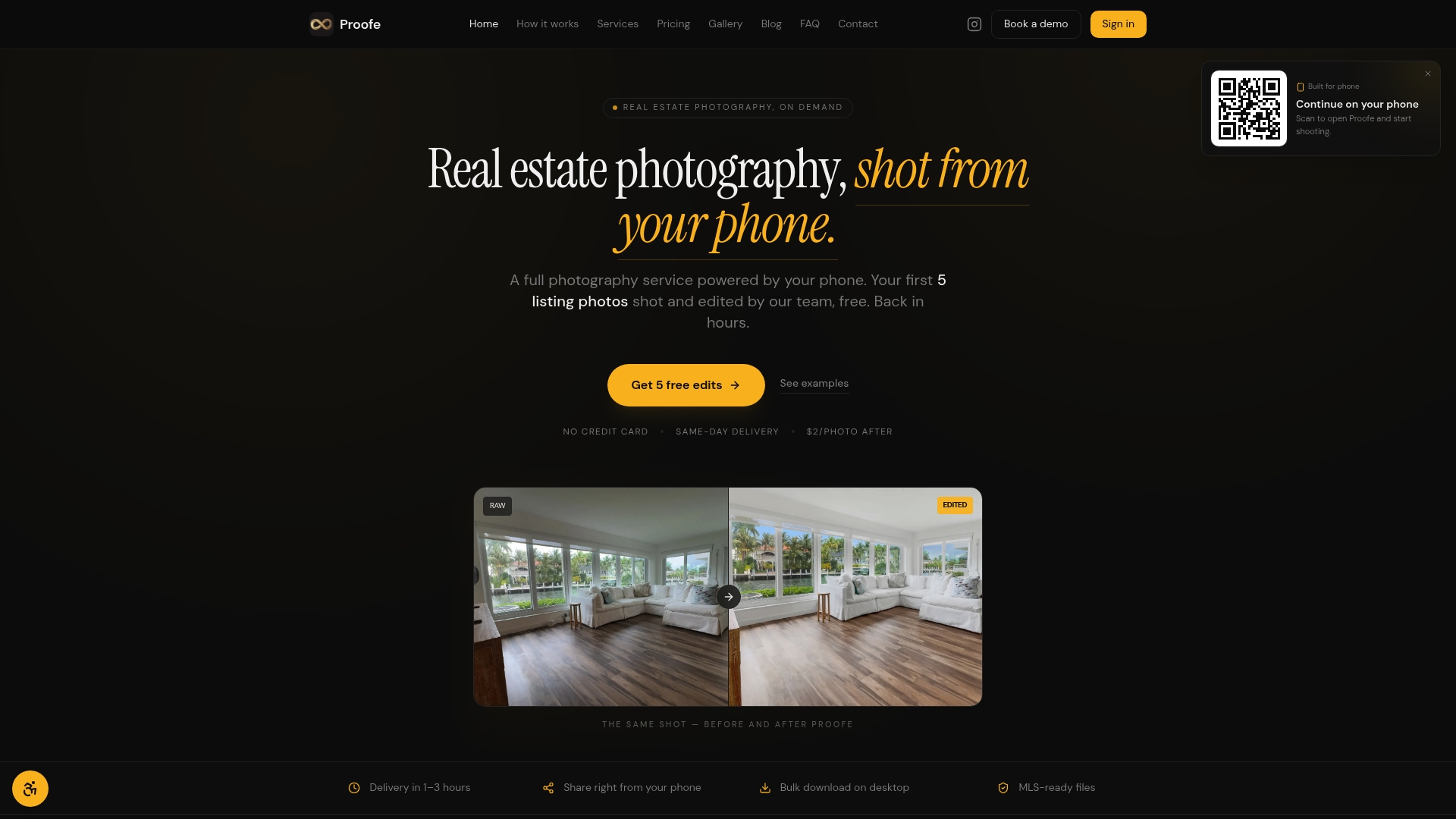
Upload your smartphone photos to Proofe and get back AI-enhanced, MLS-ready files the same day. Exposure balanced, colors corrected, twilight edits applied to your hero shots — all without touching editing software yourself. The first five photos are free, so you can run the workflow on your next job and see the results before committing to anything. For teams and brokerages handling multiple jobs per week, bulk and volume pricing keeps the per-photo cost low as your library grows.
The process is straightforward: shoot on-site, upload from your phone, download the enhanced files, and post to GBP, your website, and your ads. No scheduling a photographer, no waiting days for edits, no reshoots because the dusk window closed. Start your free trial at Proofe and get your next job's hero shot live within 24 hours.
Useful sources and tools
- Deck Builder Marketing: Generate Leads and Win Projects — Explains design-led buyer behavior and how editorial portfolios influence scope and ticket size.
- Deck Photography Tips — Practical composition and seasonal retake guidance, including tips for Airbnb hosts and rental property managers.
- Proofe AI Photo Enhancer — Service page for AI-enhanced editing including twilight edits, exposure balancing, and same-day delivery.
- Why Exterior Remodel Photos Attract Leads — Internal guide on how exterior renovation imagery drives inquiries across channels.
- Rental Listing Photo Best Practices — Guidance for Airbnb hosts and property managers on using refreshed deck imagery to increase bookings seasonally.
This article is general marketing guidance, not legal or professional advice. Confirm photo release requirements and any platform-specific rules with a qualified professional or your platform's current terms.