
Property photo templates are predefined editing and layout tools that cut real estate photo production time by automating consistency across every image in a listing shoot. Understanding how property photo templates save time is the difference between spending a full afternoon on edits and delivering MLS-ready photos the same morning you shoot them. AI tools like those built into Proofe, batch editing workflows in Lightroom, and reusable graphic layouts in Canva each attack a different part of the bottleneck. Together, they can reduce a 90-minute editing session to under 10 minutes, freeing you to focus on closing deals instead of adjusting white balance.
How property photo templates save time through batch editing and AI
The fastest way to cut editing time is to stop editing photos one by one. Batch editing, the industry term for applying a single set of adjustments to multiple images simultaneously, is the foundation of every efficient real estate photo workflow.
Here is how a structured batch editing process works in practice:
- Import with a preset applied. In Lightroom, you can apply a preset automatically on import. Every photo in the shoot starts from the same baseline exposure, white balance, and color profile the moment it lands in your catalog.
- Sync edits across the batch. After refining one hero shot, use Lightroom's "Sync" feature to push those exact adjustments to every other image. Batch editing with Lightroom presets and sync features can save up to 96% of editing time compared to manual adjustments. That number reflects real production hours, not a best-case scenario.
- Run AI analysis on outliers. Preset syncing works well in controlled environments, but real estate shoots involve mixed lighting: bright windows, dark hallways, and overcast exteriors in the same session. AI editing tools analyze each photo individually to adjust lighting and color for varying conditions, saving manual corrections and increasing consistency. This is where AI moves beyond what presets alone can do.
- Review and refine selectively. With AI handling the heavy lifting, your review pass focuses only on photos that need creative decisions, not routine corrections.
- Export in one action. A single export preset delivers correctly sized, correctly named files ready for MLS upload or marketing materials.
Pro Tip: Never apply a single preset to an entire shoot without a quick scan first. Rooms with direct sunlight will blow out if you use the same exposure boost you applied to a dark basement. Flag your outliers before syncing and save yourself a second correction pass.
Manual preset syncing is effective for small batches in controlled light, but AI tools exceed 90% time savings when lighting variability increases. For agents shooting multiple properties per week, that gap compounds fast.
Do marketing layout templates actually speed up listing promotion?
Yes, and the time savings extend well beyond photo editing. Marketing templates, the kind you build in Canva or similar design tools, handle the layout work that agents typically redo from scratch for every new listing.

The core benefit is reuse. You design a flyer layout once, with your logo, brand colors, and information fields in fixed positions. For the next listing, you swap in new photos and update the price, address, and key features. The structure stays intact.
Here is what that reuse looks like across a single listing campaign:
- Listing flyers for print and PDF distribution
- Social media posts sized for Instagram, Facebook, and LinkedIn
- Email headers for your newsletter or direct outreach
- Open house reminders with date, time, and property details
- Presentation slides for buyer consultations
Marketing templates like those used in Canva save agents time by reusing design structures, allowing faster listing promotion with consistent branding and buyer-friendly layouts. The same listing story converts into five content formats without starting over each time.
Templates also reduce errors. Fixed fields for critical information like price, location, and key features prevent omissions that make listings look incomplete or unprofessional. Buyers notice when a flyer is missing the square footage or the open house time. Templates make those omissions structurally harder to make.
Pro Tip: Build one template set per property type: condos, single-family homes, and luxury listings each have different buyer priorities. A condo buyer wants HOA fees and walkability scores front and center. A luxury buyer wants lifestyle imagery and square footage. Matching your template structure to buyer psychology improves engagement without extra design time.
Multichannel template reuse reinforces the property's identity and buyer recall. Consistent visuals across platforms make a listing feel more credible and memorable, which matters when buyers are comparing five properties at once. For a deeper look at building this into a full strategy, a solid real estate marketing plan ties these template workflows into your broader promotion calendar.
Traditional staging vs. AI photo templates: time and cost compared
The numbers here are not close. Physical staging requires scheduling movers, renting furniture, coordinating with the seller, and waiting days for availability. AI photo templates deliver a staged result the same day you shoot.
AI virtual staging costs $29–$75 per photo versus $7,200 or more for physical staging. That is a 90% cost reduction. The speed advantage is equally significant.
| Factor | Traditional Staging | AI Photo Templates |
|---|---|---|
| Cost per property | $7,200+ | $29–$75 per photo |
| Turnaround time | 2–5 days | Same day |
| Editing time per shoot | 60–90 minutes manual | Under 10 minutes with AI |
| Scheduling required | Yes, multiple vendors | No |
| Sales speed impact | Moderate improvement | 73% faster sales reported |
| Price premium | Varies | 5–23% higher sale prices |
AI photo templates reduce editing time by 70–90%, turning a 90-minute editing process into under 10 minutes. That time savings compounds across a full listing schedule. An agent closing 20 listings per year saves roughly 27 hours of editing time annually, time that goes back into client relationships and prospecting.
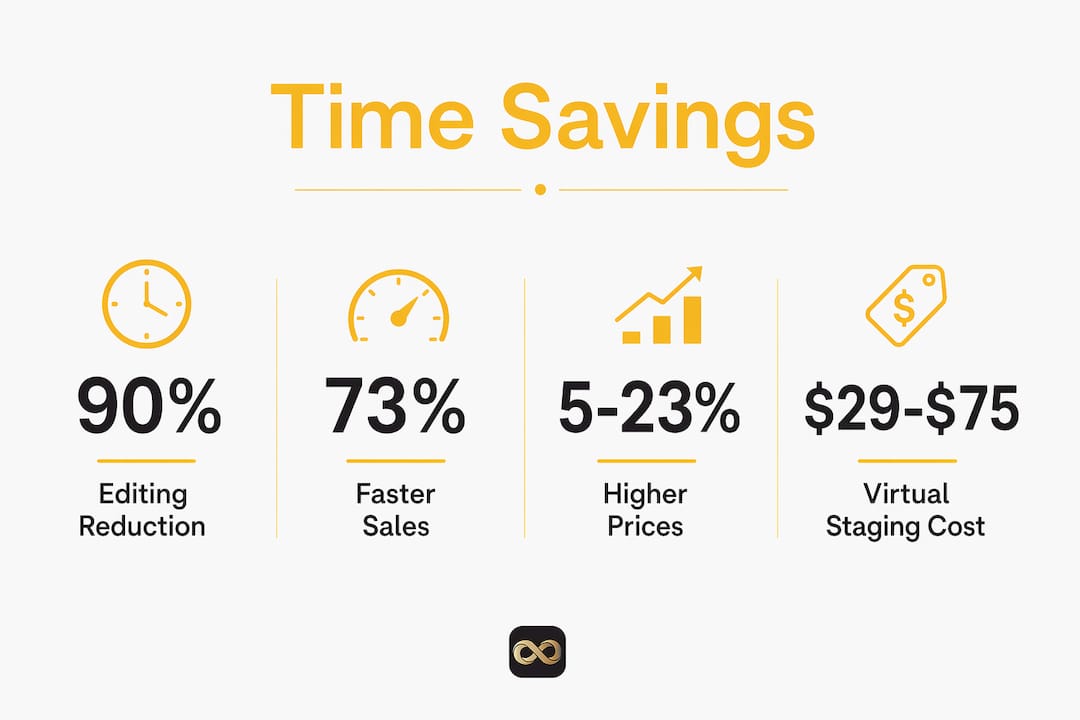
Properties staged virtually sell 73% faster and can command 5–23% higher sale prices on average. Faster sales reduce carrying costs for sellers and improve your days-on-market metrics as an agent. Both outcomes strengthen your competitive position.
What are the legal rules for ai-edited listing photos?
Disclosure requirements for AI-altered real estate photos are now law in several states, and California is leading the way. California AB 723 requires that virtually staged or AI-altered listing photos include a clear label on the image and access to the original unaltered photo via link, QR code, or adjacent display.
This rule directly affects how you build your template workflows. Every AI-modified image must be paired with its original. Managing that pairing manually slows production and creates compliance risk.
The practical solution is to automate the pairing at the pipeline level:
- Label altered images automatically. Build disclosure text into your export template so every AI-enhanced photo carries the required label without a manual step.
- Store originals in a linked folder. Use a naming convention that ties each edited file to its original. A file named
kitchen_edited.jpgshould have a correspondingkitchen_original.jpgin the same delivery package. - Include disclosure links in your MLS upload template. If your MLS system supports supplemental documents, attach the original image set as a standard part of your listing template.
Workflow bottlenecks in AI staging occur when the production pipeline does not automatically generate and link an original image with each AI-modified version. Non-disclosure is not just a legal risk. It erodes buyer trust when the staged photo looks nothing like the empty room they walk into at the showing.
Automating original image pairing and labeling is critical to efficient, regulatory-compliant template pipelines. Build compliance into the template once and it runs on every listing without extra thought.
Key takeaways
Property photo templates save the most time when batch editing, AI automation, and reusable marketing layouts work together as a single workflow rather than separate tools.
| Point | Details |
|---|---|
| Batch editing cuts editing time | Lightroom presets and sync features can save up to 96% of editing time versus manual adjustments. |
| AI handles lighting variability | AI tools adjust each photo individually, saving manual corrections when light conditions differ across rooms. |
| Marketing templates reduce redesign | Reusable Canva-style layouts convert one listing into flyers, social posts, and slides without starting over. |
| AI staging costs 90% less | Virtual staging runs $29–$75 per photo versus $7,200 or more for physical staging, with same-day delivery. |
| Compliance must be built into templates | California AB 723 requires labeled AI photos and original image access, so automate pairing at the pipeline level. |
The part most agents skip (and why it costs them)
I have worked with hundreds of real estate professionals on their photo workflows, and the pattern is consistent. Agents adopt one piece of the template system, usually a Lightroom preset pack, and stop there. They cut editing time by 40% and call it done. The other 60% is still sitting on the table.
The agents who get the full benefit treat templates as a system, not a shortcut. They connect their editing presets to their marketing layouts to their compliance pipeline. When a new listing comes in, the entire production process runs on rails. Shoot, process, stage, label, publish. No decisions, no delays.
The compliance piece is where I see the most avoidance. Agents know about disclosure requirements but assume it is someone else's problem, the photographer's or the MLS platform's. California AB 723 puts the obligation on the listing agent. Building disclosure into your template now takes about 20 minutes. Fixing a compliance violation after the fact takes considerably longer.
The other thing worth saying: templates do not replace your eye. The best listing photography tips still emphasize composition, natural light, and decluttering before you shoot. A template applied to a poorly composed photo produces a consistently mediocre result faster. Templates multiply whatever quality you bring to the shoot. Bring good quality.
— Richard Lopez
Get listing-ready photos without the wait
You do not need a professional camera or hours of editing time to produce photos that make buyers stop scrolling. Proofe's AI real estate photo editing delivers MLS-ready results from smartphone shots, with same-day turnaround and your first five photos free.
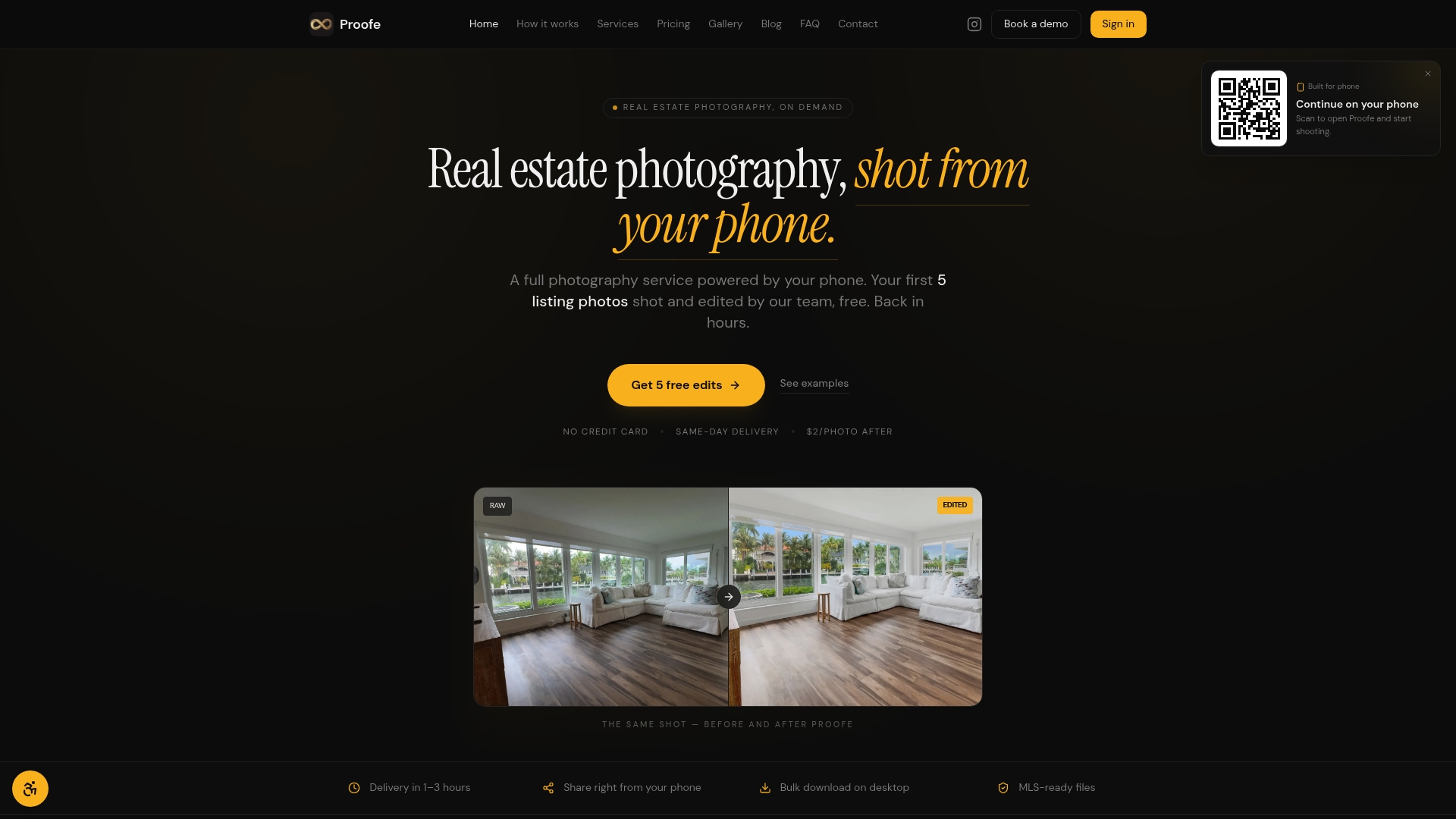
Proofe handles sky replacement, bright room edits, and AI enhancement automatically, so you get consistent, professional results without touching editing software. Agents, property managers, and homeowners all use it to get listings published faster. Try the Proofe real estate photo app and see how much time you get back on your next listing.
FAQ
What are property photo templates?
Property photo templates are predefined editing presets and reusable layout designs that apply consistent adjustments to listing photos automatically. They cover both image editing, such as Lightroom presets, and marketing layouts, such as Canva flyer templates.
How much time do AI photo templates actually save?
AI photo templates reduce editing time by 70–90%, cutting a 90-minute manual editing session to under 10 minutes. Batch editing presets in Lightroom can push that saving to 96% on large, consistent shoots.
Do i need to disclose AI edits on listing photos?
Yes, in California and several other states. California AB 723 requires a visible label on AI-altered photos and access to the original unaltered image. Build this disclosure step into your template pipeline to stay compliant on every listing.
Can templates work for both editing and marketing?
Editing presets and marketing layout templates solve different problems but work best together. Editing templates handle photo consistency and speed; marketing templates handle how those photos appear across flyers, social posts, and MLS listings.
Are ai-staged photos as effective as physical staging?
Virtually staged properties sell 73% faster and can command 5–23% higher sale prices, at a fraction of the cost of physical staging. The key is using high-quality source photos and labeling AI modifications clearly.