
Free home listing photo tools are defined as no-cost software, apps, and AI editors that produce professional-quality property images without paid subscriptions. Tools like GIMP, Darktable, Snapseed, and EditThisPic give real estate agents, homeowners, and Airbnb hosts the ability to shoot, edit, and deliver MLS-ready photos entirely for free. The gap between free and paid software has narrowed significantly. With the right combination of tools and a disciplined workflow, you can produce listing photos that compete with professional shoots.
What are the best free photo editing tools for real estate listings?
Darktable and GIMP together deliver a 100% free professional-grade editing workflow on Windows, Mac, and Linux. Darktable handles RAW processing with exposure, color grading, and lens correction. GIMP handles pixel-level work like removing objects, fixing blemishes, and adjusting specific areas. Together, they cover everything Adobe Lightroom and Photoshop do, at zero cost.
Desktop tools worth knowing
Photopea runs entirely in a browser and mirrors the Photoshop interface. No download is required, which makes it ideal for agents working on shared or client machines. PhotoDemon is a 22 MB portable editor that runs directly from a USB drive with no installation needed. It includes over 200 features, including HDR processing and perspective correction, making it one of the most capable free tools available for on-location edits.

Mobile apps for fast edits
Snapseed and Lightroom Mobile are the two strongest free mobile options for listing photo work. Snapseed offers selective adjustments, perspective correction, and HDR merging directly on your phone. Lightroom Mobile supports RAW files and batch editing, which saves time when you have 20 or more photos from a single shoot. Both apps are free and available on iOS and Android.
AI-powered free tools
EditThisPic offers one free AI edit per week with no account required. It handles virtual staging, sky replacement, object removal, and lighting enhancement. The results are suitable for MLS submissions. For agents who need occasional AI fixes without a monthly fee, EditThisPic fills that gap well.
| Tool | Platform | Best use case | Free tier |
|---|---|---|---|
| Darktable | Desktop | RAW processing, color grading | Fully free |
| GIMP | Desktop | Pixel editing, object removal | Fully free |
| PhotoDemon | Desktop (portable) | On-location edits, perspective fix | Fully free |
| Snapseed | Mobile | Quick adjustments, HDR | Fully free |
| Lightroom Mobile | Mobile | RAW, batch edits | Free with limits |
| EditThisPic | Web (AI) | Virtual staging, sky replacement | 1 free edit/week |
Pro Tip: Use Darktable to process your RAW files first, export as TIFF, then open in GIMP for any detailed retouching. This two-step process preserves maximum image quality.
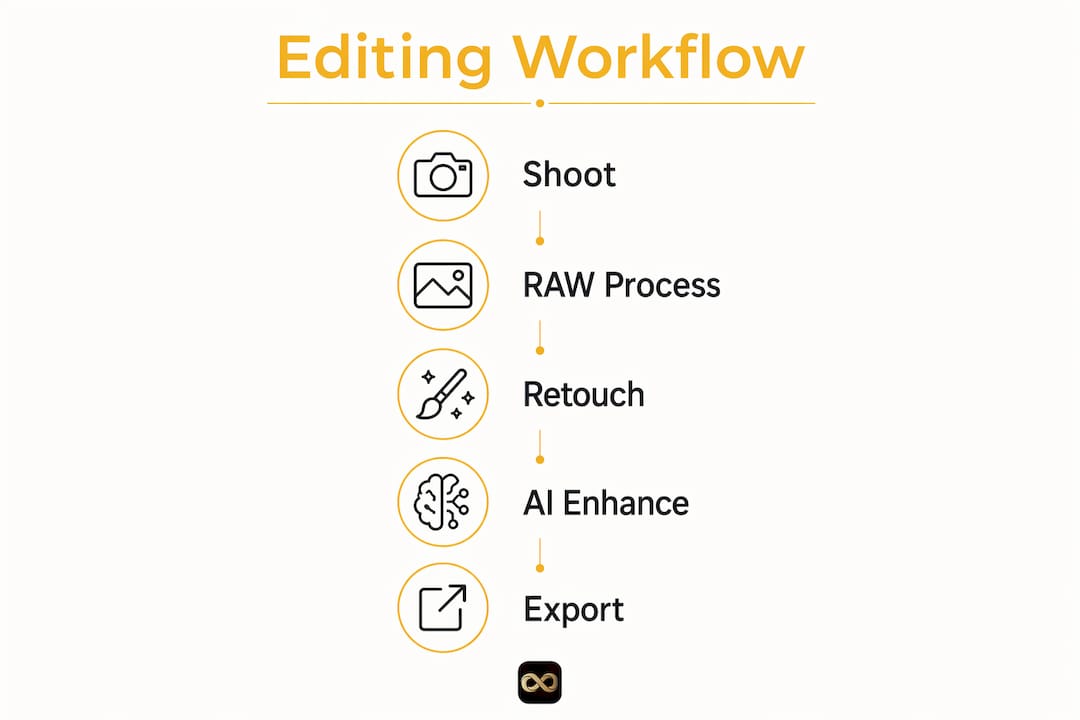
How to build a free workflow for shooting and editing listing photos
A strong listing photo workflow starts before you pick up your phone or camera. Good composition and lighting at the shoot stage reduce the editing work later. AI tools fix problems but cannot replace good shooting technique, so getting the shot right the first time is always the priority.
Follow these steps for a complete free workflow:
- Stage and plan the shoot. Remove clutter, open blinds, and turn on all lights. Shoot during the golden hour (morning or late afternoon) for warm, natural light in exterior shots.
- Shoot in RAW format. Most modern smartphones and cameras support RAW. RAW files give you far more editing flexibility than JPEGs.
- Capture the right photo count. Over 20 photos per listing produce the best buyer engagement. Include exterior shots, every main room, and 3 to 5 detail shots like countertops, fixtures, and views.
- Process RAW files in Darktable. Adjust exposure, white balance, and lens distortion. Apply the same settings as a preset across all interior shots for consistency.
- Refine in GIMP or Photopea. Fix crooked lines, remove distracting objects, and sharpen key areas.
- Run AI enhancements where needed. Use EditThisPic for sky replacement or virtual staging on key exterior or empty-room shots.
- Export in the correct format. Check your MLS requirements. Most platforms accept JPEG at 72 to 96 DPI. For a full breakdown of file format rules, see this MLS photo file guide.
- Name and organize files. Use a consistent naming convention like "123MainSt_01_LivingRoom.jpg" so files are easy to sort and upload.
Pro Tip: Set your white balance manually before each shoot. Consistent white balance across all photos is one of the fastest ways to make a gallery look professional. Over-editing colors is the most common mistake agents make.
Combining AI enhancements with a disciplined manual workflow produces the best results. AI handles the heavy lifting on problem shots. Manual editing keeps the overall gallery looking natural and cohesive.
What common photo problems do free tools solve?
Real estate photos share a predictable set of problems. Free tools address every one of them effectively when used correctly.
- Crooked verticals and perspective distortion. Wide-angle shots of rooms often make walls look tilted. Snapseed's perspective correction tool and PhotoDemon's geometry tools both fix this in under two minutes.
- Dull or overcast skies. A gray sky kills curb appeal. EditThisPic replaces skies with one click. Proofe also offers a dedicated sky replacement service for agents who want consistent results across a full set of exterior shots.
- Dark interiors. Darktable's exposure and shadow recovery tools bring detail back into underlit rooms without blowing out windows. For window areas specifically, a technique called window pull balancing recovers both indoor and outdoor exposure in the same frame.
- Inconsistent color across the gallery. Apply a Darktable export preset to every photo in a shoot. This locks in the same white balance, contrast, and saturation across all images.
- Distracting objects. GIMP's clone stamp and healing tools remove cars, trash cans, and personal items from photos cleanly.
Pro Tip: Create a short checklist before you edit. Check for crooked lines, color consistency, and clutter in every photo before export. A checklist-driven approach catches mistakes that are easy to miss when editing photo by photo.
Consistent white balance and brightness across all listing photos are the single biggest factors in making a gallery look professional. Over-editing, especially heavy saturation or HDR effects, makes photos look artificial and can reduce buyer trust.
How free tools support seasonal updates and Airbnb rental photos
Seasonal photo updates are important for rentals like Airbnb to maintain listing appeal year-round. A property that looks great in summer photos can feel dated or uninviting when listed in winter. Free mobile apps and AI editors make it practical to refresh photos quickly without booking a professional photographer.
Airbnb hosts and short-term rental managers benefit from free listing photo tools in several specific ways:
- Quick seasonal refreshes. Swap a gray winter sky for a bright blue one using EditThisPic. Update exterior shots in spring when landscaping looks its best.
- Highlight seasonal features. A fireplace photo matters more in october and november than in july. Snapseed's selective brightness tool lets you warm up a fireplace shot in minutes.
- Virtual staging for off-season appeal. AI staging tools can add seasonal decor to empty or neutral rooms without physical changes to the property.
- Batch editing for multiple units. Lightroom Mobile's batch edit feature lets property managers apply the same corrections to 30 or 40 photos at once, saving hours of work.
- Cost-free updates between professional shoots. Most Airbnb hosts cannot justify a professional shoot every season. Free tools make it possible to maintain high-quality photos year-round on a zero-dollar budget.
Updating your Airbnb photos before peak booking seasons, like spring and summer, directly affects how often your listing gets clicked. Fresh, well-lit photos signal an active, well-maintained property to potential guests.
Key takeaways
Free home listing photo tools produce professional-quality results when you combine RAW processing in Darktable, pixel editing in GIMP, mobile adjustments in Snapseed, and AI enhancements in EditThisPic with a consistent, checklist-driven workflow.
| Point | Details |
|---|---|
| Best free desktop combo | Darktable for RAW processing plus GIMP for pixel editing matches paid software quality. |
| Mobile editing is enough | Snapseed and Lightroom Mobile handle most listing edits directly from your phone. |
| AI fills the gaps | EditThisPic provides free sky replacement, staging, and object removal weekly. |
| Shoot quality first | AI tools cannot fix poor composition; get the framing and lighting right at the shoot. |
| Seasonal updates matter | Refreshing Airbnb and rental photos each season with free tools improves click rates at no cost. |
Why I stopped recommending expensive software to agents
Real estate professionals consistently overestimate what paid software adds to their workflow. I have seen agents spend over $600 per year on Adobe Creative Cloud subscriptions when Darktable and GIMP handle 95% of the same tasks for free. The learning curve for both tools is real, but it is shorter than most agents expect.
The bigger mistake I see is relying entirely on AI tools without building any manual editing skills. AI editors like EditThisPic are genuinely impressive for sky replacements and quick fixes. But they cannot save a photo with bad composition or a cluttered foreground. A precise multi-photo checklist that includes 3 to 5 detail shots alongside main room and exterior photos creates a cohesive narrative that AI alone cannot build.
My honest recommendation is to spend one afternoon learning Darktable's basic controls. Set up a simple export preset that locks in your white balance and exposure baseline. Then use Snapseed on your phone for quick on-site corrections and EditThisPic for the occasional AI fix. That combination costs nothing and produces results that hold up against most professional edits I have reviewed.
The agents who get the best results are not the ones with the most expensive tools. They are the ones who shoot carefully, edit consistently, and update their photos regularly. Free tools make all of that possible.
— Richard Lopez
Proofe makes listing photos even easier
You now have a solid free editing toolkit. Proofe takes the process one step further by combining the shoot and the AI enhancement into a single mobile workflow.
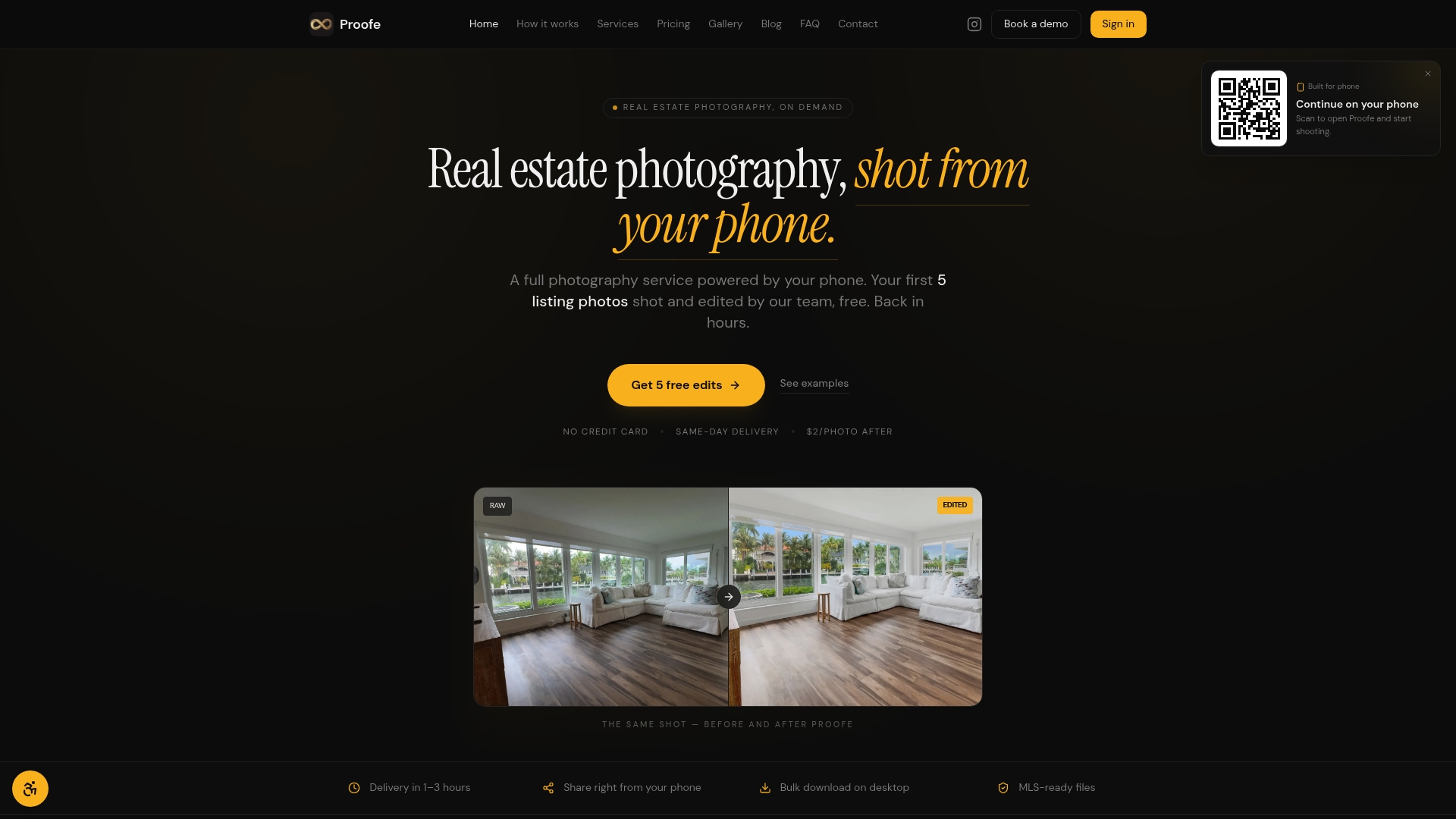
With Proofe's real estate photo app, you shoot directly from your smartphone, and the AI enhancement happens automatically. The result is an MLS-ready file delivered the same day. Your first five photos are free, so you can test the full workflow before committing. For agents and homeowners who want professional results without managing multiple apps, Proofe handles the entire process from capture to download. See how it fits your listing workflow at Proofe.
FAQ
What free tools are best for editing real estate listing photos?
Darktable and GIMP together cover RAW processing and pixel-level editing at no cost. For mobile edits, Snapseed and Lightroom Mobile are the strongest free options.
Can free photo editing tools produce MLS-ready images?
Yes. Tools like Darktable, GIMP, and Snapseed export files in JPEG and TIFF formats that meet standard MLS requirements. Check your specific MLS for resolution and file size limits.
How many photos should a home listing include?
Over 20 photos per listing produce the best buyer engagement. Include exterior shots, every main room, and 3 to 5 detail shots to tell the full story of the property.
Are AI photo editors good enough for listing photos?
AI editors like EditThisPic handle sky replacement, virtual staging, and object removal well. They work best on photos that are already well-composed, since AI cannot fix poor framing or bad lighting.
Can Airbnb hosts use free tools to update seasonal photos?
Yes. Mobile apps like Snapseed and AI editors like EditThisPic let Airbnb hosts refresh exterior and interior photos quickly between seasons at no cost, which helps maintain listing appeal during peak booking periods.