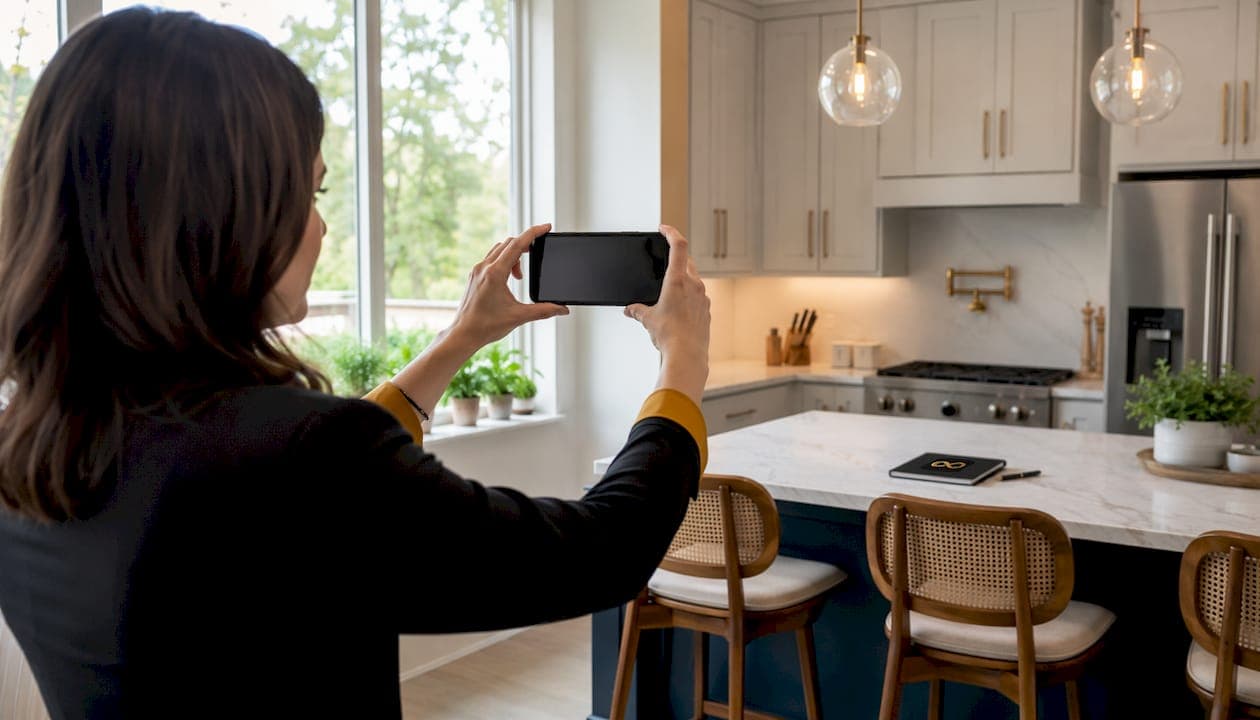
If you need MLS-ready listing photos from your smartphone today, Proofe is the clearest phone-first, AI-powered alternative to iusephotography.com. It shoots, enhances, and delivers same-day, with your first five photos free. Here's how the main categories stack up:
- Phone-first AI apps (like Proofe): Best for agents and Airbnb hosts who shoot their own photos and want same-day MLS-ready files without hiring a photographer.
- Cloud edit services (upload your raws, get back retouched JPGs): Best for agents who already shoot with a DSLR and want professional color correction and window pulls without a full-service package.
- On-site pro photographers (marketplace connectors like ProShoot): Best when the property is high-value or the shoot requires drone, twilight, or video.
- Photographer marketplaces (bid-based platforms): Best for one-off shoots where you want competitive pricing from verified local photographers.
Try Proofe's free photos first. If you prefer sending raw files for cloud retouching, a listing photo editing service is your next best option.
Pro Tip: The National Association of Realtors consistently links listing photo quality to faster sales and higher offer prices. MLS compliance isn't optional, so confirm file specs before you upload.

Table of Contents
- Which iusephotography.com alternatives actually compare?
- How do you pick the right alternative for your listing?
- Why Proofe stands out as a phone-first alternative
- How to get the best results from a phone-first AI workflow
- Key Takeaways
- The case for phone-first AI is stronger than most agents realize
- Try Proofe free and get your first five photos today
- Useful sources and links to read next
Which iusephotography.com alternatives actually compare?
The table below maps each workflow category against the criteria that matter most for a fast listing launch.
| Workflow category | Best for | Pricing shape | Standard turnaround | Workflow model | MLS-ready deliverables | Phone/AI capability | Trial or sample policy |
|---|---|---|---|---|---|---|---|
| Phone-first AI app (Proofe) | Agents, property managers, Airbnb hosts | Per-photo or package; first 5 free | Same-day | Shoot on phone → AI enhance → download | MLS-sized JPGs, color-corrected, metadata-ready | Smartphone-first, AI retouching built in | 5 free photos, no commitment |
| Cloud edit service | Agents with existing RAW files | Per-photo or per-room packages | 24–48 hours | Upload files → human/AI edit → download | JPGs, window pulls, sky replacement | Upload any device; no phone-specific AI | Sample edits sometimes available |
| On-site pro photographer | Luxury listings, drone, video | Per-shoot flat fee or hourly | 24–72 hours | Book → photographer shoots → delivery | Full-res JPGs, RAW optionally included | Photographer-operated; no phone AI | Portfolio review before booking |
| Photographer marketplace (e.g., ProShoot) | One-off shoots, competitive bids | Bid-based; platform fee on hire | Hours to days for bids; shoot date varies | Post job → receive bids → hire → delivery | Depends on photographer hired | Varies by photographer | Review portfolios and ratings before hire |
What to look for in any provider:
- Before-and-after galleries showing actual retouch level (window pulls, color correction, perspective fixes) are the fastest trust signal. No gallery means no proof.
- A stated SLA (same-day or 24–48 hours) with a clear redo or refund policy separates serious services from hobby operations.
- Transparent pricing with per-photo or package rates prevents surprise invoices.
- Services that store your original high-resolution files and deliver web-optimized versions separately protect your long-term marketing flexibility. Always confirm this before uploading.
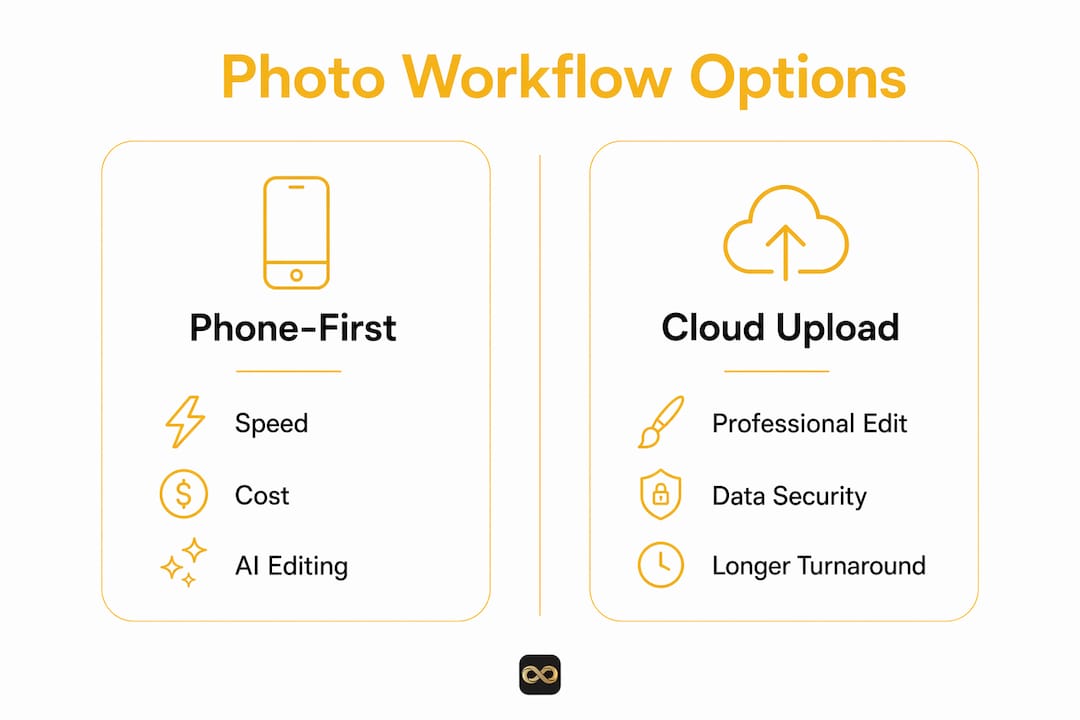
On data security: Any service you upload listing photos to should state clearly how images are stored, who can access them, and whether MLS metadata is preserved or stripped. Reputable platforms publish a privacy policy and do not resell your images. Ask before you upload.
Bottom line: Proofe fits smartphone-first workflows where speed and cost matter. Choose a cloud editor when you have existing RAW files. Hire an on-site pro for luxury or drone-required properties.
How do you pick the right alternative for your listing?
The single decision rule: pick the option that balances your timeline, budget, and whether you or a professional will shoot the photos.
Hard criteria checklist:
- Turnaround SLA (same-day vs. 24–48 hours vs. 72+ hours)
- Sample MLS-ready files you can inspect before paying
- Pricing transparency: per-photo rates or package totals, no hidden storage fees
- Mobile-first support if you're shooting on a smartphone
- Original-file preservation (confirm the service keeps your high-res masters)
- Integration or export options compatible with your MLS or CRM
Five questions to ask any provider before you buy:
- "Can you deliver MLS-ready JPGs at the resolution my MLS requires?"
- "Do you preserve the original RAW or full-res files, and is there a fee to retrieve them?"
- "What's your standard turnaround, and what does expedited cost?"
- "Do you have a redo or refund policy if the edits don't meet MLS specs?"
- "How do you handle uploaded photo data — who can access it, and do you resell images?"
Red flags to walk away from:
- Vague pricing ("contact us for a quote" with no example range)
- No before-and-after gallery on the website
- No stated SLA or delivery window
- Unclear copyright terms (you should own your listing photos)
- Hidden bandwidth or storage fees for retrieving your own files
Pricing expectations (illustrative ranges, not firm quotes):
- Phone-AI edits: low per-photo cost, often with free intro offers
- Cloud retouch packages: moderate per-photo or per-room rates
- On-site professional shoots: higher flat-fee or hourly rates, plus potential travel fees
Pro Tip: Before committing to any service, request a sample edit on one of your actual listing photos. A provider confident in their output will offer this without hesitation.
For agents who prefer a fully DIY path, the listing photos without a photographer guide walks through the whole process.
Why Proofe stands out as a phone-first alternative
Proofe specializes in phone-first, AI-enhanced MLS-ready images with same-day delivery and an introductory free-photos offer that lets you test the output before spending anything.
Proofe's core proof points:
- Three-step workflow: shoot on your phone → AI enhancement → download MLS-ready files
- First five photos free, no credit card required upfront
- Same-day turnaround on standard submissions
- MLS-ready JPGs sized to common MLS specifications
- AI retouching covers color correction, sky replacement, and perspective fixes
- No expensive camera equipment or photography background needed
Proofe's phone→AI→download pipeline allows a property manager to shoot a unit in the morning and have MLS-ready photos delivered the same day, without booking a photographer or renting equipment.
Who it fits best:
- Single-family listing agents who need fast turnaround between a signed listing agreement and MLS go-live
- Airbnb hosts refreshing photos between seasons. New photos for spring or fall can meaningfully lift booking rates, and a phone-first workflow makes seasonal re-shoots affordable and fast
- Property managers running volume workflows across multiple units who can't justify per-shoot photographer fees
- Vacant or AI-staged rooms where digital staging via AI replaces the cost of physical furniture rental
Proofe's support process is tied to its SLA commitment. Same-day delivery means you get a clear window for when files arrive, and the redo policy covers edits that don't meet your expectations. For AI real estate photo editing details, the service page lists current deliverables and file specs.
Pro Tip: For window pull edits specifically, shoot toward the window and let the AI handle exposure blending. Proofe's window pull editing service is designed for exactly this scenario.
How to get the best results from a phone-first AI workflow
Clean, well-lit smartphone source images with correct framing reduce editing time and improve AI output quality significantly.
Shoot checklist:
- Stabilize your phone against a wall or use a small tripod to eliminate blur
- Shoot at eye-height for rooms (roughly 5 feet) for natural perspective
- Expose for highlights, not shadows, so AI can recover shadow detail without blowing windows
- Capture at least three angles per room: wide, mid, and one detail shot
- Take bracketed exposures (if your phone supports it) for HDR-style blending
- Use the agent photo checklist as your on-site reference
Do and don't list:
- Do use natural light. Open blinds and turn off overhead fluorescents before shooting.
- Do remove personal items, clutter, and trash cans from every frame.
- Do preserve original full-resolution files before uploading. Mobile-optimized delivery is great for MLS, but you'll want high-res masters for print marketing.
- Don't apply heavy filters in your phone's camera app before uploading. AI editors work better on neutral source files.
- Don't upload heavily cropped or low-resolution images. Start with the largest file your phone produces.
Pro Tip: Adaptive gallery layouts and mobile-optimized delivery matter because most buyers view listings on phones. Confirm your provider delivers files that render correctly on mobile, not just desktop MLS portals.
For free tools to supplement your workflow, the free home listing photo tools guide covers practical options for agents on tight budgets.
On timelines: A same-day SLA maps directly to listing-day launches. Shoot in the morning, submit by midday, and your MLS-ready files are back before the afternoon upload window. For Airbnb seasonal turnovers, a 24–48 hour window fits neatly between guest checkouts and the next booking cycle.
Key Takeaways
Proofe is the fastest phone-first, AI-powered alternative for agents who need MLS-ready listing photos the same day, with no equipment required.
| Point | Details |
|---|---|
| Phone-first AI wins on speed | Same-day delivery from a smartphone shoot beats 24–72 hour waits from cloud editors or on-site pros. |
| Ask five questions before buying | Confirm MLS file specs, original-file preservation, SLA, redo policy, and data privacy before committing. |
| Cloud edits fit existing RAW files | If you already shoot with a DSLR, a cloud retouch service handles color correction and window pulls without a full-service package. |
| Airbnb hosts benefit from seasonal re-shoots | Refreshing listing photos each season is affordable with a phone-first AI workflow and can lift booking visibility. |
| Proofe offers a free introductory set of photos | Test the full shoot→AI→download workflow on a live listing with no upfront cost before scaling. |
The case for phone-first AI is stronger than most agents realize
Switching to a phone-first AI workflow for quick listings can shave hours off turnaround. The conventional wisdom still says "hire a photographer for every listing." That made sense when AI editing was unreliable. It makes less sense now.
The real gap isn't between phone photos and DSLR photos. It's between agents who understand how to shoot a clean source image and those who don't. A well-framed, properly exposed smartphone photo run through a solid AI editor produces results that are genuinely MLS-competitive for most residential listings. The agents who struggle with phone-first workflows are usually skipping the shoot checklist, not fighting a technology ceiling.
For Airbnb hosts, the seasonal re-shoot argument is even cleaner. A property that looked great in summer photos can look flat and uninviting in winter light. Refreshing photos between seasons is a low-cost, high-return move, and a phone-first workflow makes it practical to do every few months rather than once a year.
The one honest caveat: luxury listings, drone shots, and twilight photography still benefit from an on-site professional. Phone-first AI isn't the answer for every property. But for the majority of residential listings and short-term rental refreshes, it's faster, cheaper, and more than good enough.
Try Proofe free and get your first five photos today
Five free MLS-ready photos, same-day delivery, no equipment needed. That's the offer from Proofe, and it's the lowest-friction way to test whether a phone-first AI workflow fits your listing process.
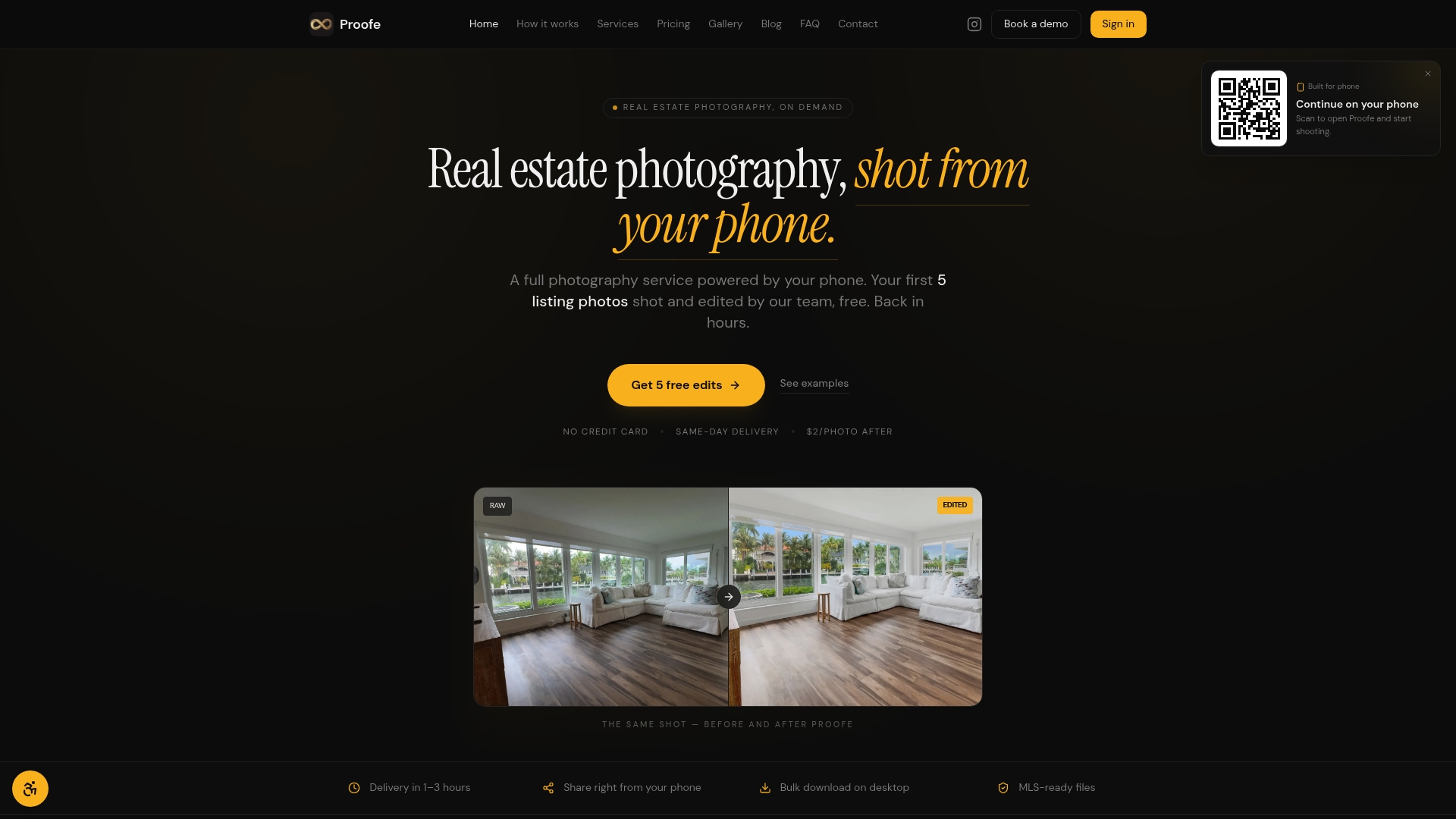
Here's how to start right now:
- Open the Proofe real estate photo app page and create your free account.
- Shoot your listing photos using the checklist above: stabilize, expose for highlights, capture wide and detail angles.
- Upload your photos, select your edits (color correction, sky replacement, window pulls), and receive MLS-ready JPGs the same day.
Expedited options are available if you need files faster than the standard window. Support is built into the process, so if an edit misses the mark, you can request a redo. Your first five photos cost nothing. Start there, see the output, and scale from that point.
Useful sources and links to read next
- Real Estate Photo App — Proofe: The phone-first app page with workflow details and the free-photos offer. Start here if you're ready to test.
- Real Estate Photo Checklist for Agents: Step-by-step shoot guide for agents capturing their own listing photos.
- Free Home Listing Photo Tools Guide: Practical roundup of free and low-cost tools for DIY listing photography and Airbnb seasonal refreshes.
- Listing Photos Without a Photographer: Full DIY guide for agents and homeowners who prefer to shoot and edit themselves.
- Top listing photography tips for home sellers: Staging and shooting advice from a seller's perspective, useful for homeowners preparing their own listings.
- Virtual Real Estate Services — Privacy and Security: Covers data security and privacy practices in virtual real estate services, relevant if you're evaluating how providers handle your uploaded photos.
- Proofe — AI Real Estate Photo Editing: Service page with current deliverables, file specs, and turnaround details for AI-edited listing photos.