
Free photo tools and AI editing can eliminate most per-visit photography spend for everyday rental turnovers while cutting vacancy time. Here's the bottom line:
- Photographer fees: Traditional per-visit rates run $200–$400 per unit. Free AI tools bring that to near zero.
- Editing costs: Per-photo editing fees disappear when batch AI tools handle exposure, color, and cleanup automatically.
- Vacancy days: Photo quality affects rental price and time-to-fill. Better images mean fewer empty days.
- Travel and scheduling: Staff shoot during the turnover walk. No photographer to coordinate.
TL;DR: Photography and listing expenses are generally deductible as ordinary rental costs on Schedule E. Proofe offers AI-enhanced, MLS-ready edits with same-day delivery and a free trial for your first five photos.
Table of Contents
- How free photo tools actually produce savings
- Where the money actually comes from: cost savings by portfolio size
- Tax and accounting: are photo costs deductible?
- Practical workflow for landlords and property managers
- Limitations and risks you should know about
- When to hire paid professional photography
- Your 5-step rollout plan for adopting free photo tools
- Image quality standards that actually move the needle
- Integrating free photo tools with property management software
- Key Takeaways
- The mistake most landlords make with listing photos
- Proofe makes this workflow faster from day one
How free photo tools actually produce savings
The features that matter most to landlords are not the flashiest ones. They're the ones that cut time and eliminate repeat site visits.
- Auto-exposure and white balance correction fix the dim bathrooms and blown-out windows that phone cameras produce under fluorescent lighting.
- Object removal erases paint cans, cleaning supplies, and contractor tools from turnover-day shots digitally, so you don't have to wait for a pristine unit.
- Batch processing lets one staff member edit an entire unit's photo set in minutes rather than hours.
- Sky replacement and window pulls add polish that previously required a professional on-site.
- Resolution and format presets output MLS-ready files without manual resizing or re-uploading.
Each feature maps directly to a cost: object removal eliminates the "wait for clean" delay, batch tools compress editing labor, and format presets prevent the rework that slows listing publication.
Pro Tip: Shoot on Day 1 of the turnover, not Day 3. Capture every room and angle you need while the make-ready crew is still working, then use AI cleanup to remove the clutter afterward. This single habit cuts vacancy days without adding any scheduling complexity.
Where the money actually comes from: cost savings by portfolio size
The largest financial impact is not the photographer fee. It's the vacancy days you shorten by listing faster with better photos. Use daily rent divided by 30 to estimate your per-day vacancy cost, then multiply by days saved.

| 10 units | Multiple turnovers annually | Photography costs can be over a thousand dollars | Minimal | Significant savings depending on portfolio | | 50 units | Multiple turnovers annually | Photography costs can range in the thousands | Low cost AI alternatives | Substantial savings possible | | 200 units | Multiple turnovers annually | Photography costs can be tens of thousands of dollars | Low or minimal AI costs | Large saving potential |
At portfolio scale, savings compound fast. A 50-unit manager turning 30 units per year at $250 per photographer visit saves $7,500 annually before counting a single vacancy day recovered. Saving two days of vacancy per unit at typical rent levels adds meaningful financial benefit.
Tax and accounting: are photo costs deductible?
Yes. Under IRS guidance, advertising and listing expenses for rental property, including photography and editing costs, are generally deductible as ordinary and necessary rental expenses. You report them on Schedule E.
What counts: photographer invoices, AI editing subscriptions, pay-per-edit receipts, and any software you use specifically for listing photos. Keep receipts organized by property address and expense category.
Pro Tip: Name your photo files with the property address and date (e.g., "123Main_Unit4_March2026"). This makes it easy to match receipts to specific properties during Schedule E prep and gives you clean documentation if the IRS ever asks.
Good bookkeeping practices reduce audit risk and speed up tax prep. A simple folder structure per property, with a running expense log, is all most landlords need.
Practical workflow for landlords and property managers
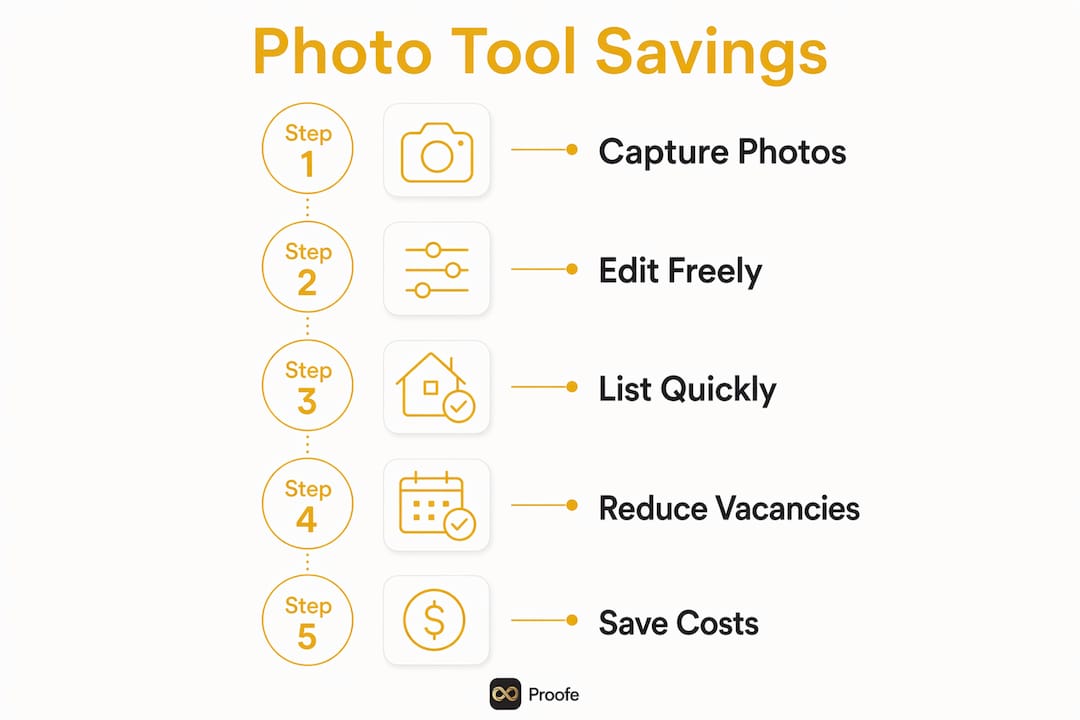
The fastest workflow is also the simplest: shoot during turnover, batch-edit with AI, QA, then publish. Here's how to make it repeatable across a portfolio.
Step-by-step capture checklist:
- Photograph every room from the doorway corner at chest height.
- Capture at least one anchor shot per room showing the full space.
- Shoot the exterior, entrance, and all amenities (parking, laundry, gym, pool).
- Name files by property address and room before uploading.
- Upload the full batch to your AI editor in one session.
- Run auto-enhance, remove clutter objects, and apply your standard preset.
- QA-check for any missed items, then export as MLS-ready files.
- Publish to your listing platform the same day.
Role assignment for teams:
- Leasing agent or maintenance staff shoots during the make-ready walk.
- One designated editor (or the same person) batch-uploads and runs AI cleanup.
- Property manager does a 5-minute QA pass before publishing.
Pro Tip: Shoot exterior and amenity photos once per season and reuse them across every unit listing in the building. Amortizing that editing effort across dozens of vacancies is the highest-leverage time investment you can make.
Airbnb hosts benefit from this same logic. Refreshing your listing photos at each season change, spring to summer, fall to winter, keeps your thumbnail competitive when demand shifts and guests are browsing new options.
Limitations and risks you should know about
Free photo tools are powerful for most turnovers, but they have real limits.
- Accuracy in staging claims: AI-generated virtual staging that doesn't reflect the actual unit can mislead tenants and create liability. Only use staging to show potential, and disclose it clearly.
- Tenant privacy: If a unit is occupied or partially occupied during photography, get written consent before publishing images that show personal belongings.
- MLS rules on edits: Most MLS boards permit standard corrections (exposure, color, object removal of non-permanent items) but prohibit edits that misrepresent the property's condition or size. Check your local MLS rules before using sky replacement or virtual staging.
- Quality ceiling for premium properties: Free tools handle Class-B and Class-C properties well. For luxury or Class-A units where professional photography directly supports a rent premium, the quality gap still matters.
- File format errors: Uploading the wrong resolution or aspect ratio to Zillow or Apartments.com triggers reprocessing that delays your listing. Always export to platform-specific specs.
Never publish AI-edited images that contradict what a tenant will find on move-in day. That's where free tools cross from helpful to harmful.
When to hire paid professional photography
Pay for professional photography when the expected rent lift or faster lease-up justifies the fee. Here's a simple decision rule:
If expected monthly rent is above $3,500, the unit is a new-build or model unit, or you're marketing a short-term rental at a seasonal peak, professional photography is worth the cost.
Triggers for paid photography:
- Luxury or Class-A properties where photos directly support a rent premium
- New-build or lease-up marketing where first impressions set the market rate
- Model units used in all marketing materials for a development
- Airbnb or short-term rental listings heading into peak season (summer, holidays)
- One-off marketing events like a major renovation reveal
Pro Tip: For Airbnb hosts, a professional reshoot before your peak season is one of the highest-ROI investments you can make. Updated photos at season changes often lead to higher occupancy and better nightly rates, especially when your competitors are still running last year's images.
For everything else, a phone plus AI editing delivers results that fill units fast without the per-visit cost.
Your 5-step rollout plan for adopting free photo tools
- Pilot on 5–10 units. Choose one building or your next five turnovers. Track days-on-market and cost-per-listing before and after.
- Set capture rules. Give staff a one-page checklist: angles, anchor shots, file naming, and upload instructions.
- Establish a batch-edit cadence. Designate one editing session per turnover batch. Use presets so every unit looks consistent.
- QA and publish same day. The property manager reviews the final set before it goes live. Target: listing published within 24 hours of turnover completion.
- Measure and iterate. Track time-to-list, days-on-market, and application rate per listing. Adjust your capture checklist based on what's working.
Metrics to watch:
- Time-to-list (target: under 24 hours from turnover)
- Days-on-market (target: reduction of 2–5 days per unit)
- Cost-per-listing (target: near $0 for standard turnovers)
- Application rate per listing
A short pilot gives you real data before you commit to a full rollout. Most managers see measurable improvement within the first month.
Image quality standards that actually move the needle
Resolution matters, but composition matters more. Here's what listing platforms and tenants actually respond to:
- Minimum resolution: 1024 x 768 pixels for MLS; most platforms prefer 2048 x 1536 or higher.
- Lighting: Bright, evenly lit rooms outperform dark shots every time. AI exposure correction helps, but natural light during the shoot is still your best starting point.
- Clutter-free frames: Empty counters, made beds, and clear floors signal a well-maintained property. Remove personal items before shooting.
- Wide-angle framing: Shoot from corners and doorways to show the full room. Tight shots make spaces look smaller than they are.
- Lead with the best photo: Your first image is your thumbnail. Use the most flattering exterior or living room shot.
Consistent quality across every unit in your portfolio builds your brand as a landlord. Tenants and applicants notice when listings look professional.
Integrating free photo tools with property management software
Most free photo tools export standard JPEG or PNG files, which drop directly into any property management platform. Here's how to connect the workflow:
- Buildium, AppFolio, Yardi: All accept standard JPEG uploads. Export at 2048px wide and under 5 MB per file for fastest processing.
- Zillow Rental Manager and Apartments.com: Both accept batch uploads via their listing dashboards. Standardizing your file dimensions before upload prevents auto-cropping that cuts off room edges.
- MLS platforms: Check your local MLS for exact pixel and file-size requirements. Most accept JPEG at 72–96 DPI for web display.
- Google Drive or Dropbox: Use a shared folder per property for team access. Staff upload raw shots; the editor pulls from the same folder and returns finished files.
Naming files consistently (address + unit + room) makes it easy to drag and drop into any platform without hunting for the right image.
Key Takeaways
Free photo tools cut landlord costs most by eliminating per-visit photographer fees and shortening vacancy time, with savings that scale sharply as portfolio size grows.
| Point | Details |
|---|---|
| Biggest savings source | Vacancy days recovered by listing faster outweigh photographer fee savings at most portfolio sizes. |
| Repeatable workflow | Shoot on Day 1 of turnover, batch-edit with AI, QA, and publish within 24 hours. |
| Tax deductibility | Photography and listing costs are generally deductible as ordinary rental expenses on Schedule E under IRS rules. |
| When to pay for pro | Hire a photographer for luxury units, new-build marketing, or Airbnb listings heading into peak season. |
| Proofe | Offers AI-enhanced, MLS-ready edits with same-day delivery and a free trial for the first five photos. |
The mistake most landlords make with listing photos
Most landlords treat listing photography as a one-time event tied to a major renovation or a new lease-up. That's the wrong frame. The real cost isn't the photographer's invoice. It's the two, three, or five extra days a unit sits empty because the photos weren't ready when the turnover finished.
The landlords who save the most consistently are the ones who build photo capture into the turnover checklist itself, not as a separate task scheduled after the unit is perfect. AI cleanup handles the imperfections. What it can't fix is a listing that went live three days late because nobody had a workflow.
Seasonal short-term rental hosts face a version of this same problem. Airbnb listings with stale photos from last summer lose clicks to competitors who refreshed their images before peak season. A quick reshoot and AI edit in April or October is one of the simplest ways to recover occupancy without dropping your nightly rate.
The tools are free. The workflow takes one afternoon to set up. The savings show up on your next Schedule E.
Proofe makes this workflow faster from day one
Skip the learning curve on free tools and go straight to professional results. Proofe's AI photo editing service is built for exactly the workflow described here: shoot on your phone during the turnover, upload, and download MLS-ready files the same day.
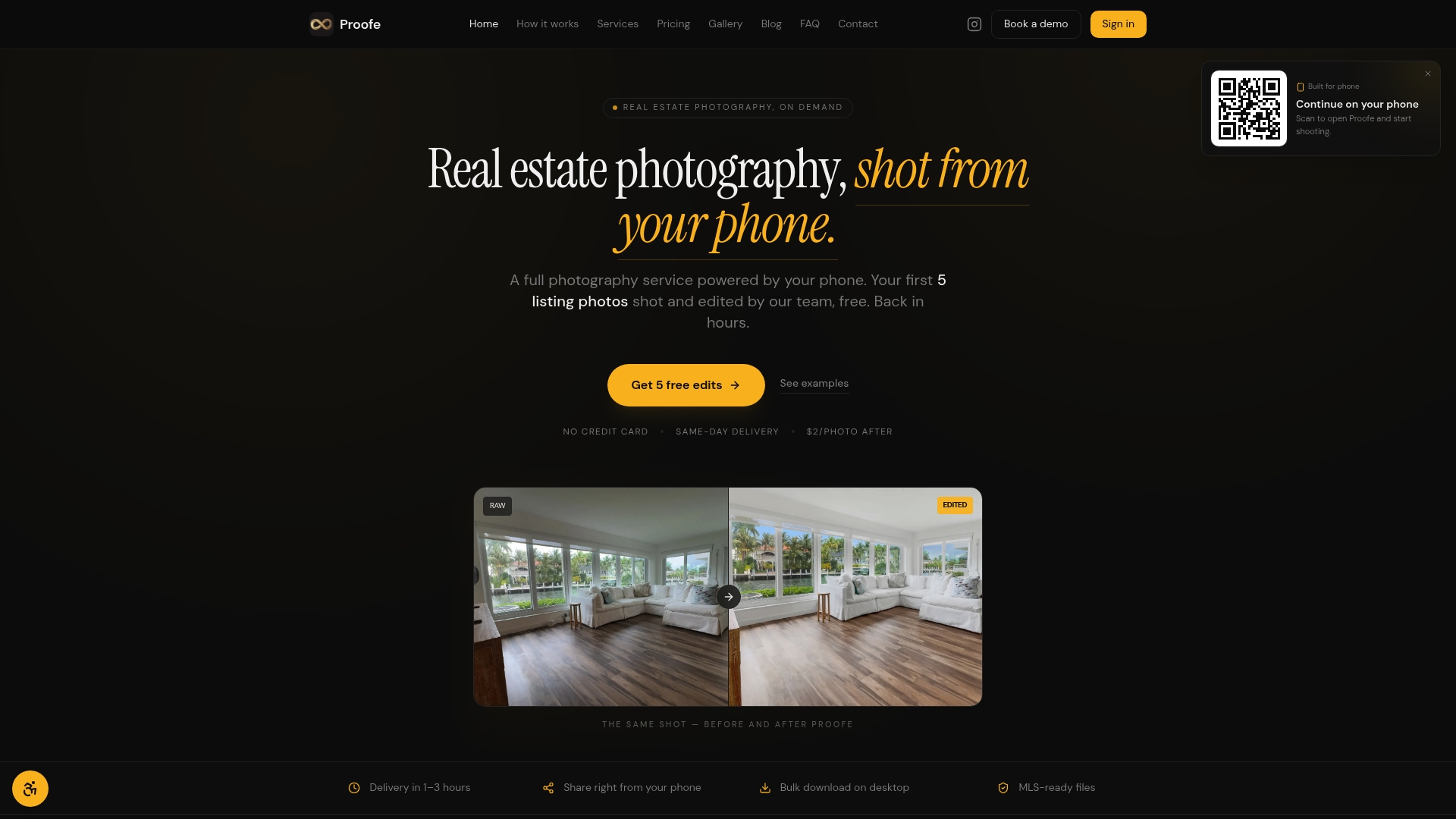
Your first five photos are free, so you can test the quality before spending anything. After that, pay per photo with no monthly subscription required. Team and brokerage pricing is available for higher-volume portfolios.
- Same-day delivery on edited files
- MLS-ready dimensions and formats, no resizing needed
- Exposure balancing, color correction, object removal, sky replacement, and window pulls
- Bulk download for multi-unit batches
- Upcoming: virtual staging, twilight edits, and grass replacement
Start your free trial at Proofe and get your next turnover listed faster.
Useful sources and further reading
- IRS guidance on rental income, deductions, and recordkeeping
- How photo quality affects rental price
- Free home listing photo tools: 2026 guide
- How to edit real estate photos: 8-step guide
- How to resize photos for real estate sites
- AI and real estate investing: is it worth the money?
Key insight: The single largest cost of listing photos is vacancy time. Reducing days-on-market with better imagery drives the largest financial impact for landlords at every portfolio size.